
3D Floor Plan | smart3Dplanner
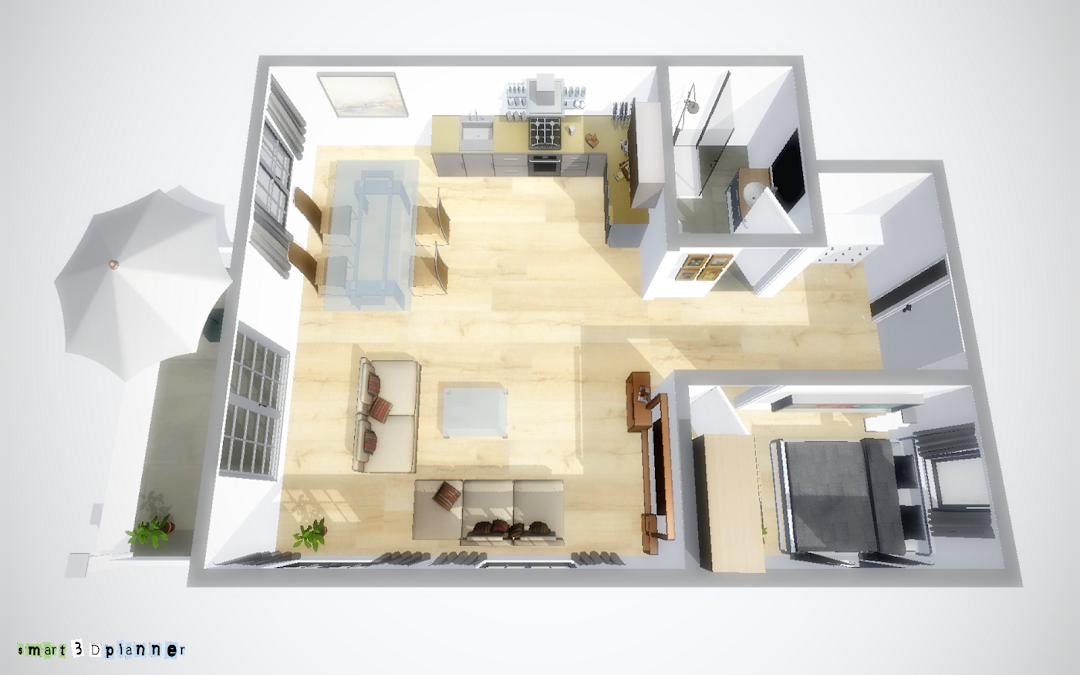
Create your personal 3D floor plan with smart3Dplanner.
Sebastian Kemper
3D Floor Plan | smart3Dplanner is developed and provided by Sebastian Kemper.
Version10.3
Updated on
2025-01-18
Rating4.2
CategoryHouse&Home
Package namecom.SofwareentwicklungKemper.smart3Dplanner
Downloads100+
3D Floor Plan | smart3Dplanner Description
Features:
* Floor plans can be uploaded as an image file and used as a template
* Extensive furniture libraries for interior decoration
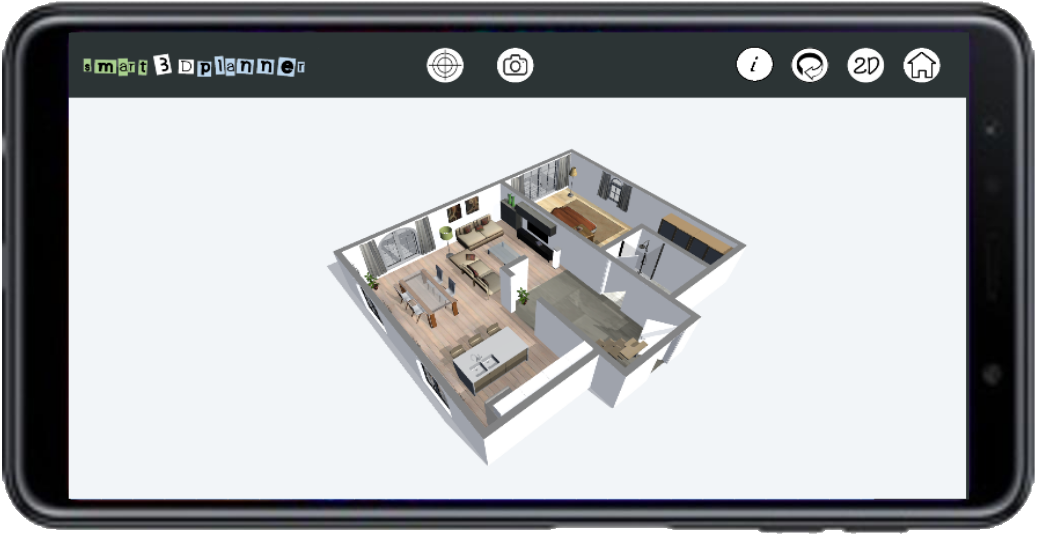
* 3D viewer
* Photo function for creating high-resolution images
Have fun!
Open up


Comments about 3D Floor Plan | smart3Dplanner Android Version
it is difficult to use this app as a left handed person. However when you finally get your walls in place and get them to stay in place, you can create wonderful things if you have the patience. It's really hard to get your walls in place because the lines start out so tiny W/ tiny boxes you have to grab the corners then redirect them to where you want on the page. I think they could have done a lot better jobs than they did. it's worth mentioning to people but I wouldn't recommend it.
The app is fine i paid for the extra options, i enjoyed it for few hours , and then , i ran out of options . The options for interior decorations are limited , also for the sports equipment . There is nothing to add for outside gardening , swimming pool , balconies , 2nd floor option , garage door . I really wish the developers to add some more options and fix the lag , sometimes it was hard to put windows and doors .
I had high hopes for this app as an interior designer(not decorator), it had the basics I was really looking for and so I took a chance and purchased the full version. I was hoping the kitchen, bathroom and other selection details you don't get to see without purchasing would be able to serve me for what I wanted. It didn't. You can't create anything custom except for the floorplan. More like a game than what i needed.
it is difficult to use this app as a left handed person. However when you finally get your walls in place and get them to stay in place, you can create wonderful things if you have the patience. It's really hard to get your walls in place because the lines start out so tiny W/ tiny boxes you have to grab the corners then redirect them to where you want on the page. I think they could have done a lot better jobs than they did. it's worth mentioning to people but I wouldn't recommend it.
The app is fine i paid for the extra options, i enjoyed it for few hours , and then , i ran out of options . The options for interior decorations are limited , also for the sports equipment . There is nothing to add for outside gardening , swimming pool , balconies , 2nd floor option , garage door . I really wish the developers to add some more options and fix the lag , sometimes it was hard to put windows and doors .
I had high hopes for this app as an interior designer(not decorator), it had the basics I was really looking for and so I took a chance and purchased the full version. I was hoping the kitchen, bathroom and other selection details you don't get to see without purchasing would be able to serve me for what I wanted. It didn't. You can't create anything custom except for the floorplan. More like a game than what i needed.
Is 3D Floor Plan | smart3Dplanner safe for my device?
Open up
Yes, 3D Floor Plan | smart3Dplanner follows the Google Play content guidelines to ensure safe use on your Android device.
What is an XAPK file, and what should I do if the 3D Floor Plan | smart3Dplanner I downloaded is an XAPK file?
Open up
A file with .xapk extension is a compressed package file. It is a container file format that incorporates APK and additional associated files required for the installation.
The XAPK format was introduced to package the APK file and OBB file together for a seamless delivery and installation process.
XAPK format can help reduce the package size of application.
On mobile phones, users need to install the XAPK installer first, and then install XAPK files through that installer. You can find the installer here:https://apkcombo.com/how-to-install/. But on PC client, you just need to put the file on LDPlayer.
Can I play 3D Floor Plan | smart3Dplanner on my computer?
Open up
Yes, you can play 3D Floor Plan | smart3Dplanner on your computer by installing LDPlayer, an Android emulator. After installing LDPlayer, simply drag and drop the downloaded APK file into the emulator to start playing 3D Floor Plan | smart3Dplanner on PC. Alternatively, you can open the emulator, search for the game or app you want to play, and install it from there.
Program Available in Other Languages
下載 3D平面圖| smart3Dplanner[TW]
3D 평면도 | smart3Dplanner 다운로드[KR]
Tải Mặt bằng sàn | smart3Dplanner[VI]
ดาวน์โหลด แผนผังชั้น | smart3Dplanner[TH]
Скачать 3D план этажа | smart3Dplanner[RU]
Baixar Planta 3D | smart3Dplanner[PT]
Descargar Plano de planta 3D | smart3Dplanner[ES]
Télécharger Plan d'étage | smart3Dplanner[FR]
3D Grundriss | smart3Dplanner herunterladen[DE]
3Dフロアプラン| smart3Dplannerをダウンロード[JP]
Unduh Denah lantai | smart3Dplanner[ID]
تنزيل خطة الكلمة 3D | smart3Dplanner[AR]


