Call-Timer

Call-Timer

Call-Timer can make phone calls automatically hang up.

CTSOFT

Call-Timer is developed and provided by CTSOFT. LDPlayer offers the download service only.

OFF
Rating4
CategoryCommunication
Package namectsoft.androidapps.calltimer

Call-Timer Description

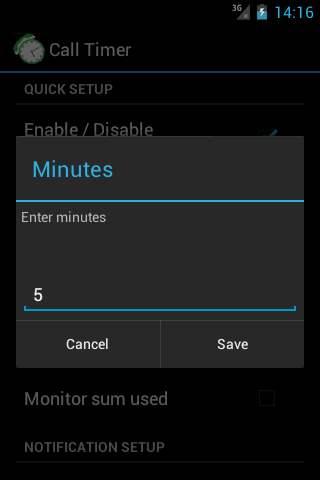
Call-Timer can make your phone call automatically hang up when call reaches a configurable predefined time..

Why it is needed? Many network carriers or telecom services offer free calls for first 5, 10, 20, xx minutes. If you don’t want to monitoring the elapsed time and manually hang-up the call while talking, then you can have this application do it for you.

Has been choosen as featured product on Google Play Store many times.
More than 2 milions downloads
Support Android 12, 11, 10, 9.0, 8.1, 8.0, 7.1, 7.0, 6.1, 6.0 and below

FEATURES:

• Auto hang up: user sets time limit once the application will time calls and automatically hang up them for you. This is applied for both outgoing calls and incoming calls (depend on configuration).

• Periodic notifications: This is useful for people who are charged per minute, per 30 seconds. per xx seconds (depend on configuration).

• Specific numbers (work in all Android versions except Android 9): Allow you to specify individual phone numbers to apply limit of talk time to. You can add phone number to specific number list either by picking up contact from contacts list or by adding phone number prefixes, which are common beginning digits of the phone numbers that you want to add to the specific number list. Please note that when you choose to use “Specific numbers” feature, Call Timer will ONLY be activated for those number on th configured specific list.

• Multi-call support. Please read more at http://call-timer.blogspot.com/2013/01/multi-call-feature.html

• Auto redial (except Android 9)

• To be notified before hang-up (through sound or vibration)

• Temporarily disable call timer for current call.

• Exclude contacts from timer (except Android 9): If you don't want call timer to have effect on certain contacts or prefixes (for example, toll free numbers), you could do that though "Exclude numbers".

• Widget for fast dialing frequently contacted numbers.

NOTE on USAGE:
OPEN THE APP AT LEAST ONCE AFTER INSTALL.

NOTE on specific phone models

  • Xaomi phones:
    + Open Settings app. Tap Installed Apps (or Apps or App Management) → Permissions → Autostart. Next, switch on Call Timer item.

    You may also need to: Click Menu icon and swipe Call Timer screen down to lock the app

  • Huawei phones: Open Settings (system app) → Battery → Launch (or Auto Launch, depends on phone model). Tap on Call Timer icon and click Ok (so that to change from manage automatically to manage manually.

  • OPPO phones:
    + Open Settings app. Tap Apps Management (or Applications) → Call Timer. Next, switch on Allow auto startup.
    For Color OS 3.0, 3.1:
    + Go to Security Center → Privacy permissions → Startup Manager. Then turn on Call Timer to allow it startup in background.
    + Go to Batery → Batery optimization--Call Timer. Then choose "do not optimize".


Please send suggestions or report bugs to support@ctsoftsolutions.com.

Thank you!

CREDITS:
- Many thanks to Fernando Salazar Peris for Spanish translation!
- Many thanks to Mikhail Kitaev for Russian translation!
- Many thanks to Yvette Wang for translation into Chinese
Open up

Currently, Call-Timer APK download is not available. Please proceed to download from the Google Play Store.

Call-Timer is temporarily not supported for download from Google Play. You can directly download the APK from this page.

Comments about Call-Timer Android Version

This is the best call timer app I've found because 1) it has option to redial automatically or just hang up (what I wanted), 2) it uses your phone's own dialer app and interface which is perfectly integrated into the Contacts system, and 3) you can set a custom warning tone and vibration to go off before the time runs out. I just really wish I could pay to get rid of the ads since I use this all the time.
What a GREAT APP! Thank you developer for giving us such a wonderful tool. If you want a timer on your calls to kept track of minutes.. This is it! You are in control of how much time, warning intervals and even if you want it to hang up. I have mine set to make a chime to sound 30 seconds before the call is over. That gives you time to either wrap things up or say I love you. Btw it's very easy to customize or simply toggle the timer off. Awesome app!
I downloaded this to end call after I've fallen asleep talking to my girlfriend at night (stuck with the whole long distance spiel) but after installing, messing with some of the setting and trying it out, it didn't end the call. I wasn't sure if it was me messing with it so much or the app, tried to use the question mark but nothing happening after pressing "keep app standby". I'm giving it 2 stars because it is a nice simple design for a simple app. Using a Samsung S5 and looking for some help
This is the best call timer app I've found because 1) it has option to redial automatically or just hang up (what I wanted), 2) it uses your phone's own dialer app and interface which is perfectly integrated into the Contacts system, and 3) you can set a custom warning tone and vibration to go off before the time runs out. I just really wish I could pay to get rid of the ads since I use this all the time.
What a GREAT APP! Thank you developer for giving us such a wonderful tool. If you want a timer on your calls to kept track of minutes.. This is it! You are in control of how much time, warning intervals and even if you want it to hang up. I have mine set to make a chime to sound 30 seconds before the call is over. That gives you time to either wrap things up or say I love you. Btw it's very easy to customize or simply toggle the timer off. Awesome app!
I downloaded this to end call after I've fallen asleep talking to my girlfriend at night (stuck with the whole long distance spiel) but after installing, messing with some of the setting and trying it out, it didn't end the call. I wasn't sure if it was me messing with it so much or the app, tried to use the question mark but nothing happening after pressing "keep app standby". I'm giving it 2 stars because it is a nice simple design for a simple app. Using a Samsung S5 and looking for some help

Is Call-Timer safe for my device?

Open up

Yes, Call-Timer follows the Google Play content guidelines to ensure safe use on your Android device.

What is an XAPK file, and what should I do if the Call-Timer I downloaded is an XAPK file?

Open up

A file with .xapk extension is a compressed package file. It is a container file format that incorporates APK and additional associated files required for the installation. The XAPK format was introduced to package the APK file and OBB file together for a seamless delivery and installation process. XAPK format can help reduce the package size of application. On mobile phones, users need to install the XAPK installer first, and then install XAPK files through that installer. You can find the installer here:https://apkcombo.com/how-to-install/. But on PC client, you just need to put the file on LDPlayer.

Can I play Call-Timer on my computer?

Open up

Yes, you can play Call-Timer on your computer by installing LDPlayer, an Android emulator. After installing LDPlayer, simply drag and drop the downloaded APK file into the emulator to start playing Call-Timer on PC. Alternatively, you can open the emulator, search for the game or app you want to play, and install it from there.

Program Available in Other Languages