مكتبة الاقتباسات العالمية
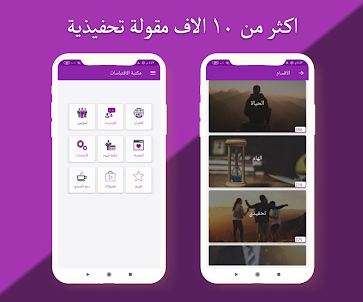
An Arabic application that includes 10,000 universal wisdoms and lessons that amaze minds for motivation
android azo
مكتبة الاقتباسات العالمية is developed and provided by android azo.
Version1.5
Updated on
2023-12-07
Rating4.7
CategoryBooks&Reference
Package namecom.aziz9910.quotes_library
Downloads100+
مكتبة الاقتباسات العالمية Description
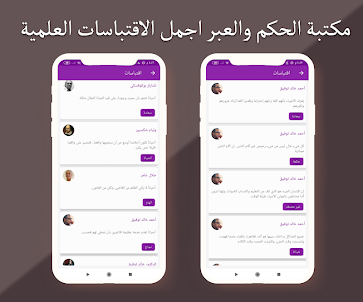
So, in this application, we have collected more than 10 thousand quotes, sayings, and lessons from writers whose names have been immortalized in history
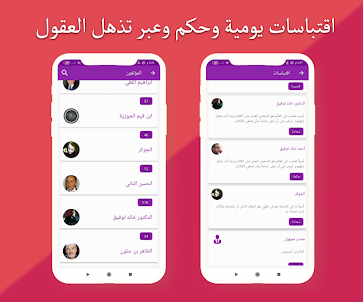
We added more than 50 writers and authors of quotes and books, and we also mentioned their names in the application
Quoting is the addition and copying of texts that belong to specific authors, and including them in the texts.
Where the quoted text is placed between the usual quotation marks "",
It is necessary to indicate the author of the original text. As we did in the application of the library of wisdom and lessons, international quotations
Thoughts and quotes leave an echo within us and we benefit from them, including beautiful and useful sermons, advice, lessons and wisdom for all ages.
It is suitable for all eras, and simulates situations we live in our current reality
Sayings, wisdom, and quotations from the most famous scholars and thinkers, wisdom and lessons
The application is designed for lovers of quotes, sayings, and memorization lessons, including sad ones, happy ones, joyful ones, and quotes about betrayal and friendship.
The Quotations Library program contains quotes in English translated into Arabic about: life experiences, love, wisdom, motivation and inspiration.
Humanity and peace, leadership, happiness, friendship and failure, sadness, life
Application features
The application contains influential sayings and sayings about life and love
You can easily copy the quote and paste it anywhere you want
You can share the quote or wisdom and lesson and publish it on any social networking site such as Instagram, WhatsApp statuses, and Facebook
Beautiful, eye-friendly design and smooth, comfortable interface
It includes more than 50 authors of quotes, sayings, and lessons, such as Dr. Ibrahim Al-Feki and many other Arab and foreign writers.
You can add the quote to your favorites for easy reference
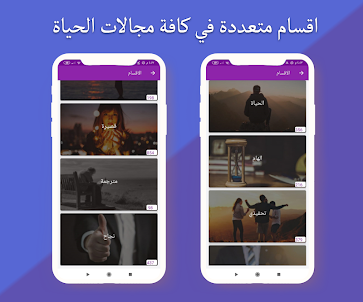
It includes more than 10 sections, and they can be expanded after every update we release
If there is any problem with the application, please inform us so that we can solve it immediately. Thank you
Disclaimer:
All pictures and quotes belong to their owners. These pictures were collected from the Internet and placed in the application. If you have any complaints about any picture we have added, please contact us so that we can delete it via the following email.
azizakren05@gmail.com
Open up
Comments about مكتبة الاقتباسات العالمية Android Version
جميل
sooooo great
Wooow
جميل
sooooo great
Wooow
Is مكتبة الاقتباسات العالمية safe for my device?
Open up
Yes, مكتبة الاقتباسات العالمية follows the Google Play content guidelines to ensure safe use on your Android device.
What is an XAPK file, and what should I do if the مكتبة الاقتباسات العالمية I downloaded is an XAPK file?
Open up
A file with .xapk extension is a compressed package file. It is a container file format that incorporates APK and additional associated files required for the installation.
The XAPK format was introduced to package the APK file and OBB file together for a seamless delivery and installation process.
XAPK format can help reduce the package size of application.
On mobile phones, users need to install the XAPK installer first, and then install XAPK files through that installer. You can find the installer here:https://apkcombo.com/how-to-install/. But on PC client, you just need to put the file on LDPlayer.
Can I play مكتبة الاقتباسات العالمية on my computer?
Open up
Yes, you can play مكتبة الاقتباسات العالمية on your computer by installing LDPlayer, an Android emulator. After installing LDPlayer, simply drag and drop the downloaded APK file into the emulator to start playing مكتبة الاقتباسات العالمية on PC. Alternatively, you can open the emulator, search for the game or app you want to play, and install it from there.