
Shortcut Maker is developed and provided by Frandro.
Version1.1.1
Updated on
2024-11-27
Rating3.0
CategoryTools
Package namecom.frandro.shortcutmaker
Downloads100+
Shortcut Maker Description
Key Features:
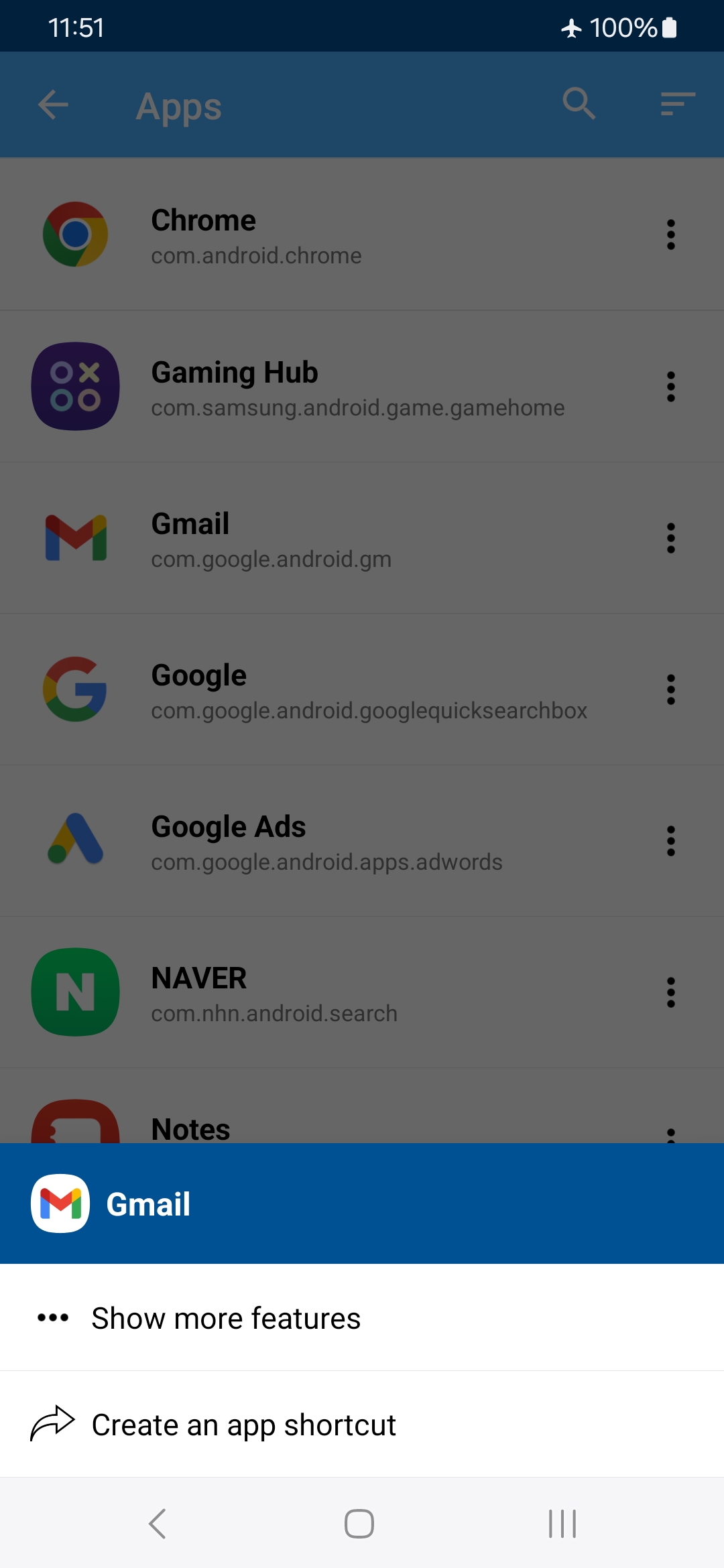
• App Shortcuts: Launch any installed app directly from your home screen.
• Activity Shortcuts: Access specific app functions (e.g., a particular chat, camera mode, or playlist).
• Folder & File Shortcuts: Pin frequently accessed folders or files for one-tap convenience.
• Settings Shortcuts: Jump to specific system settings like Wi-Fi, Bluetooth, or display options.
• Website Shortcuts: Create shortcuts to your favorite websites for instant navigation.
Why Use Shortcut Maker?
• Save Time: Reduce navigation paths and get things done faster.
• Customize Your Device: Make your home screen more functional and tailored to your needs.
• Improve Productivity: Quickly access important apps, files, or settings.
• Simple & Intuitive: A user-friendly interface ensures setup is quick and hassle-free.
Shortcut Maker is perfect for anyone looking to simplify their digital routine, whether you’re a power user or simply want faster access to everyday tools.
Download Shortcut Maker today and unlock the full potential of your Android device!
Additionally, these are items supported from the Settings shortcut.
▷ The following are shortcuts to supported setting items.
• Accessibility Settings
• Add Account
• Airplane Mode Settings
• APN Settings
• Developer Options Settings
• Application Settings
• App Search Settings
• Auto Rotate Settings
• Battery Saver Settings
• Biometric Enroll
• Bluetooth Settings
• Video Captioning Settings
• Video Cast Settings
• Condition Provider Settings
• Data Roaming Settings
• Data Usage Settings
• Date Settings
• Device Information Settings
• Display Settings
• Screen Saver Settings
• Fingerprint Enroll
• Physical Keyboard Settings
• Default Home App Settings
• Input Method Settings
• Input Method Subtype Settings
• Storage Settings
• Language Settings
• Location Settings
• All Applications Settings
• All Files Access Permission Settings
• SIM Profiles Settings
• Applications Settings
• Default Apps Settings
• Overlay Permission Settings
• Install Unknown Apps Settings
• Modify System Settings
• SD Card Storage Settings
• Network Operator Settings
• NFC Sharing Settings
• NFC Payment Settings
• NFC Settings
• Night Display Settings
• Notification Assistant Settings
• Notification Access Settings
• Notification Policy Access Settings
• Print Settings
• Privacy Settings
• Quick Access Wallet Settings
• Quick Launch Settings
• Media File Permission Settings
• Exact Alarm Scheduling Settings
• Search Settings
• Security Settings
• System Settings
• Regulatory Information Settings
• Work Policy Information Settings
• Sound Settings
• Storage Volume Access Settings
• Sync Settings
• Usage Access Settings
• Personal Dictionary Settings
• Voice Input Settings
• VPN Settings
• VR Settings
• WebView Settings
• Wi-Fi IP Settings
• Wi-Fi Settings
• Wireless Settings
• Zen Mode Priority Settings
• Ads Settings
• Android Essential Module Update
▷ Below are shortcuts to setting items for specific apps.
• Application Details Settings
• App Notification Bubble Settings
• App Notification Settings
• App Open By Default Settings
• App Usage Settings
• Background Data Restrictions Settings
• Autofill Service Settings
Open up



Is Shortcut Maker safe for my device?
Open up
Yes, Shortcut Maker follows the Google Play content guidelines to ensure safe use on your Android device.
What is an XAPK file, and what should I do if the Shortcut Maker I downloaded is an XAPK file?
Open up
A file with .xapk extension is a compressed package file. It is a container file format that incorporates APK and additional associated files required for the installation.
The XAPK format was introduced to package the APK file and OBB file together for a seamless delivery and installation process.
XAPK format can help reduce the package size of application.
On mobile phones, users need to install the XAPK installer first, and then install XAPK files through that installer. You can find the installer here:https://apkcombo.com/how-to-install/. But on PC client, you just need to put the file on LDPlayer.
Can I play Shortcut Maker on my computer?
Open up
Yes, you can play Shortcut Maker on your computer by installing LDPlayer, an Android emulator. After installing LDPlayer, simply drag and drop the downloaded APK file into the emulator to start playing Shortcut Maker on PC. Alternatively, you can open the emulator, search for the game or app you want to play, and install it from there.


