

Device Info HW is developed and provided by Andrey Efremov.
Version5.25.0
Updated on
2025-09-01
Rating4.0
CategoryTools
Package nameru.andr7e.deviceinfohw
Downloads100+
Device Info HW Description
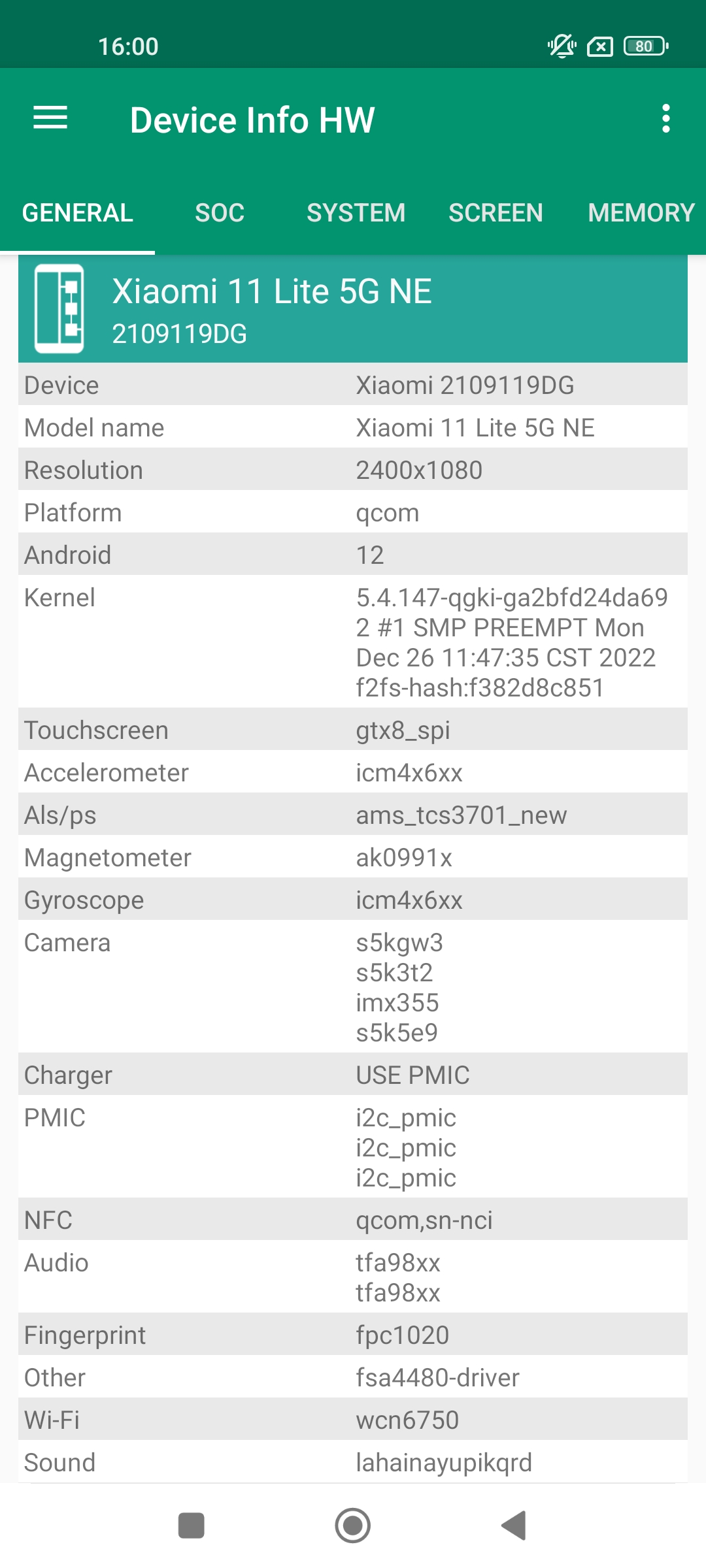
App trying detect components of your smartphone to provide complete information about device's hardware.
Now detection is supported for lcd, touchscreen, cameras, sensors, memory, flash, audio, nfc, charger, wi-fi and battery; if that possible for your device.
I think app is interesting and useful for users and developers who build kernels or android.
App has a quick navigation, fresh design. Also supports dark, black theme (in PRO version or 2 week in free)
You can switch by tab or use navigation panel. Many items are clickable and you can go to another tab or menu.
On recent devices reading some information is blocked.
App trying provide maximum information as possible. If you have root, app can read more (switch in settings)
Components
LCD - model. For recent android detection require root.
Also you can check the colors in lcd test.
Touchscreen - show model, also you can check how much fingers are supported in multi-touch test.
Camera - hardware info (model, vendor, resolution) and software info by API.
If can't detect camera model, sometimes available a list of supported cameras.
Detailed info about SoC in you device
CPU : model, cores, clusters, family, abi, governor, frequency
GPU : model, vendor, opengl, frequency, list of extensions
Click on the clock speed to open CPU monitor
System: complete info about your firmware build.
Memory: type lpddr and for some devices operating frequency.
Flash: chip and vendor emmc or ufs (scsi).
You can go to the memory tab and see usage of memory and storage.
Battery: base info and for some devices available extra info:
- Discharging speed is current consumption
- Charging speed is charge current minus current consumption
- Power profile - encoded by manufacturer for calculate consumption
* Kernel profile
* Model
Thermal: temperatures by thermal sensors
Sensors: availability of basic sensors and tests for them
Applications: you can quickly find apps and see info about it, also provided system apps
Drivers: you can find other chips used in your device.
Partitions: list of partition and their sizes.
PMIC: list of power regulator voltages which applied to the components.
Wi-Fi: info about connection
Bluetooth: supported features
Input devices: list of input devices.
Codecs: decoders and encoders, drm info
USB: connected devices by otg
Extra options:
- Show i2c address of the chip
- Open engineering menu for mtk and xiaomi
- List of CPU codenames for Qualcomm, mtk, HiSilicon
Devices database
You can find info for other devices, compare and check similar drivers. It available on web page: deviceinfohw.ru
Also you can upload your device info. See to the Info Center.
PRO VERSION
• Theme
Supports all a light, dark and black theme, choose what you like.
In the free version, black available 2 weeks for the test.
• Report
You can create a report with information about the device.
It will be saved in file HTML or PDF format.
You can open it or send to email by share button.
See example:
deviceinfohw.ru/data/report_example.html
• Copy text
Copy text by long press in info lists.
• New design of battery tab with charge / discharge chart
• Device list
List of i2c, spi devices.
It's useful when available many chips or they uncategorized.
Also this supports development to improve app.
Note:
Not for all devices can read drivers info, it's depend on soc, vendor. If you want help, then upload your device info.
If you want translate app for your language or have interesting ideas or found bugs, write me to email or forum.
Requirements :
- Android 4.0.3 and above
Permissions :
- INTERNET is required for upload device info. It's use only for manual upload.
- CAMERA is required for getting camera software characteristics for old camera api.
- ACCESS_WIFI_STATE is required for info about wi-fi connection.
Open up


Is Device Info HW safe for my device?
Open up
Yes, Device Info HW follows the Google Play content guidelines to ensure safe use on your Android device.
What is an XAPK file, and what should I do if the Device Info HW I downloaded is an XAPK file?
Open up
A file with .xapk extension is a compressed package file. It is a container file format that incorporates APK and additional associated files required for the installation.
The XAPK format was introduced to package the APK file and OBB file together for a seamless delivery and installation process.
XAPK format can help reduce the package size of application.
On mobile phones, users need to install the XAPK installer first, and then install XAPK files through that installer. You can find the installer here:https://apkcombo.com/how-to-install/. But on PC client, you just need to put the file on LDPlayer.
Can I play Device Info HW on my computer?
Open up
Yes, you can play Device Info HW on your computer by installing LDPlayer, an Android emulator. After installing LDPlayer, simply drag and drop the downloaded APK file into the emulator to start playing Device Info HW on PC. Alternatively, you can open the emulator, search for the game or app you want to play, and install it from there.


