
KakaoBus
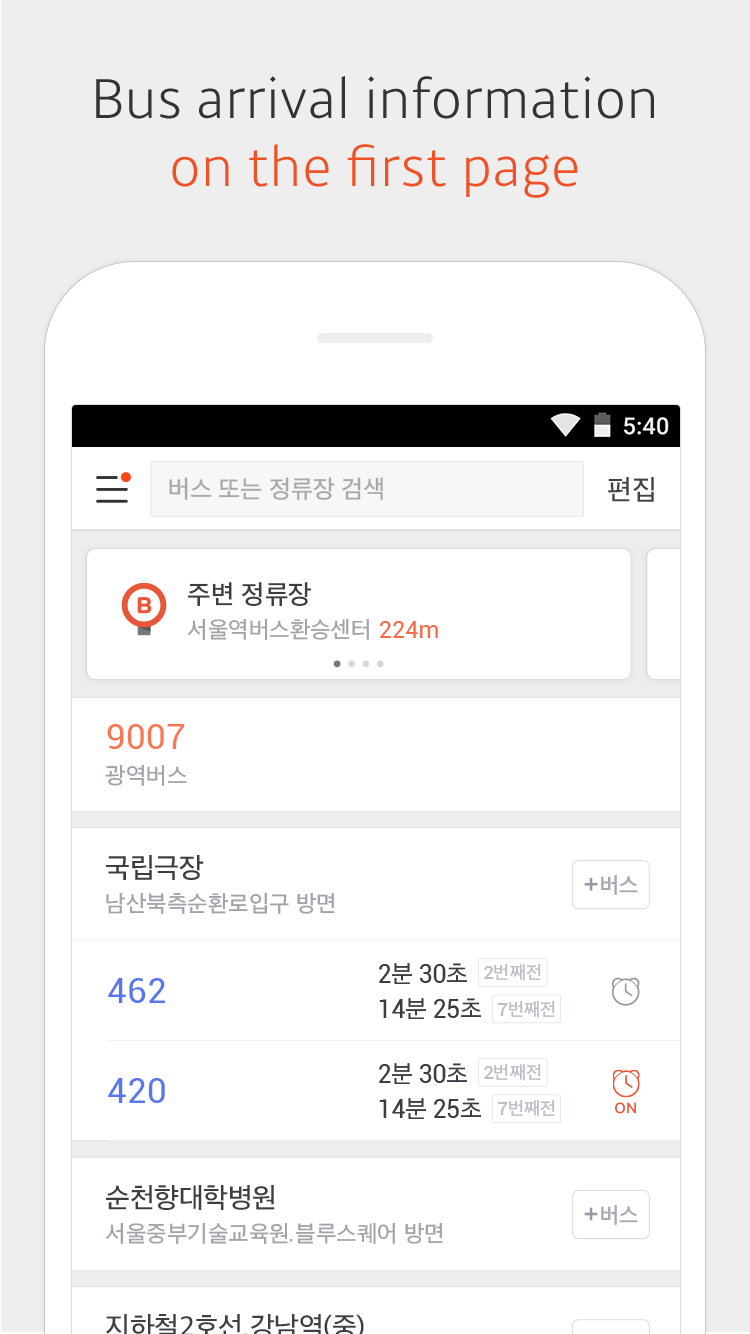
Kakaobus provides you with real-time information of 57 Korean cities
Kakao Mobility Corp.
KakaoBus is developed and provided by Kakao Mobility Corp..
Version5.10.0.5100000
Updated on
2024-06-10
Rating3.4
CategoryMaps&Navigation
Package namecom.astroframe.seoulbus
Downloads100+
KakaoBus Description
* Real-time bus arrival information
* Bus route information with real-time bus location
* Departure Alarm
Set up the departure alarm to receive notifications five minutes, three minutes or one minute before the bus arrives at your stop.
* Arrival Alarm
Set an alarm to make sure you get off at the right stop.
* Bus Arrival Notification
You can get notifications for buses at a certain day and time without having to set them manually every time.
* Suggestions based on your current location : Nearby Stops, Night Buses Nearby, Direct Bus to Home, Kakao Taxi
Continued use of GPS running in the background can dramatically decrease battery life.
[Permission Information]
▸ Optional permissions
Location : To search nearby bus stops and provide arrival alarms using the current location infomation.
Notification : To receive alarms with sounds and badges.
Open up



Comments about KakaoBus Android Version
For my bus stops, the times are mostly very accurate. I go to a major bus stop, as well as one that has only one bus. The buses never arrive before the time indicted. They may arrive a little bit later, but that is due to unpredictable traffic. The times update as well, if there are any changes. Finding a bus stop in the map is easy. Finding it in the list of the bus route, though, is a bit confusing.
It consistently defaults to the opposite bus stop, even when I'm at my stop (i.e. I'm at the northbound platform but the app places me at the southboundone), which creates problems. It's also regularly about one minute behind the buses' actual schedules, which leads to additional delays.
As inconsistent and dysfunctional as any app from a company allowed a monopoly in a market. Bus times are inaccurate, arrivals could be 5 minutes + or -, and mapping doesn't always list the best/fastest bus route to get to destinations.
For my bus stops, the times are mostly very accurate. I go to a major bus stop, as well as one that has only one bus. The buses never arrive before the time indicted. They may arrive a little bit later, but that is due to unpredictable traffic. The times update as well, if there are any changes. Finding a bus stop in the map is easy. Finding it in the list of the bus route, though, is a bit confusing.
It consistently defaults to the opposite bus stop, even when I'm at my stop (i.e. I'm at the northbound platform but the app places me at the southboundone), which creates problems. It's also regularly about one minute behind the buses' actual schedules, which leads to additional delays.
As inconsistent and dysfunctional as any app from a company allowed a monopoly in a market. Bus times are inaccurate, arrivals could be 5 minutes + or -, and mapping doesn't always list the best/fastest bus route to get to destinations.
Is KakaoBus safe for my device?
Open up
Yes, KakaoBus follows the Google Play content guidelines to ensure safe use on your Android device.
What is an XAPK file, and what should I do if the KakaoBus I downloaded is an XAPK file?
Open up
A file with .xapk extension is a compressed package file. It is a container file format that incorporates APK and additional associated files required for the installation.
The XAPK format was introduced to package the APK file and OBB file together for a seamless delivery and installation process.
XAPK format can help reduce the package size of application.
On mobile phones, users need to install the XAPK installer first, and then install XAPK files through that installer. You can find the installer here:https://apkcombo.com/how-to-install/. But on PC client, you just need to put the file on LDPlayer.
Can I play KakaoBus on my computer?
Open up
Yes, you can play KakaoBus on your computer by installing LDPlayer, an Android emulator. After installing LDPlayer, simply drag and drop the downloaded APK file into the emulator to start playing KakaoBus on PC. Alternatively, you can open the emulator, search for the game or app you want to play, and install it from there.


