

Mission Counter Attack FPS
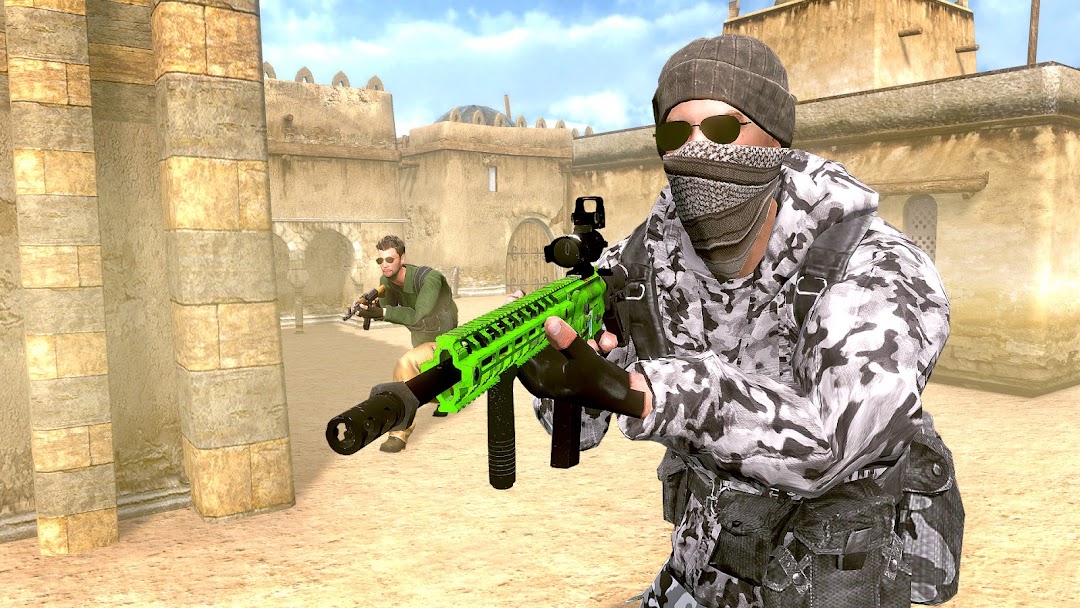
Assassinate enemies in counter terrorist attack mission in deadly shooting game.
Timuz Games
Mission Counter Attack FPS is developed and provided by Timuz Games. LDPlayer offers the download service only.
Version1.2.2
Updated on
1970-01-21
Rating4.0
CategoryWeather
Package namecom.timuzgames.missioncounterattack
Mission Counter Attack FPS Description
Play Mission Counter Attack – FPS Shooting Critical War now!
Real Gun Shooting Sniper Mission
Take the lead and assassinate all the members from the enemy attack. Secure your top position in the commando squad by destroying the general and targeted enemy attacks on your team. You have all the authority to take the lead in this fast paced first person shooter game. Counter terrorist attack and make the most of your sniper killing abilities in this mission themed gun shooting game.
Destroy Your Enemies On Ground or Mid Air
Will you like to explore new angles of killing your enemies? If that is the case, this gun shooting game offers a terrain killing mode as well as a helicopter assassinate mode where you get to sit in a helicopter and assassinate the enemies from above. Every level will come with new challenges and newer elements designed to help you complete your sniper mission. Zoom the sniper target into the enemy attack and release the shot to assassinate the enemies.
Exciting New Counter Terrorist Attack Controls
Auto reload, crouch, jump and smooth scope controls with minimal recoil make Mission Counter Attack FPS the best shooter gaming experience on mobile. Use the mini map to watch out for the enemy that approaching towards you and stay alert to survive till the end. With tactical AI, identify and use high level offense moves like throwing a grenade to hold you engaged for hours. So, get ready for the ultimate rain of bullets while using the medi kit to refill the health regularly or you will die soon!
Mission Counter Attack FPS Game Controls
- Use Joystick to move around
- Touch and slide the screen to aim and kill the enemy
- Use sniper mirrors to zoom in and out and aim at and kill enemies
- Click the Shoot button. Launch bullets
Features of Mission Counter Attack – FPS Shooting Critical War
• 3D immersive sniper games experience with HD environment
• Countless new gun shooting features and sniper mission weapons
• Challenging terrorist strike missions with increasing level of trouble
• High paced first person shooter game featuring counter terrorist attack
• Lead the commando squad and destroy the terrorist strike moves
Download and enjoy Mission Counter Attack – FPS Shooting Critical War today! Don’t forget to rate us better!! Must share your opinions we always appreciate user feedback and recommend for future updates!
Open up


Download Mission Counter Attack FPS APK for Android
1. Click "download Mission Counter Attack FPS APK for Android"
2. Install Mission Counter Attack FPS
3. Launch and enjoy Mission Counter Attack FPS
Get from Play Store
1. Click "Get from Play Store
2. Download Mission Counter Attack FPS from the Play Store
3. Launch and enjoy Mission Counter Attack FPS
Is Mission Counter Attack FPS safe for my device?
Open up
Yes, Mission Counter Attack FPS follows the Google Play content guidelines to ensure safe use on your Android device.
What is an XAPK file, and what should I do if the Mission Counter Attack FPS I downloaded is an XAPK file?
Open up
A file with .xapk extension is a compressed package file. It is a container file format that incorporates APK and additional associated files required for the installation.
The XAPK format was introduced to package the APK file and OBB file together for a seamless delivery and installation process.
XAPK format can help reduce the package size of application.
On mobile phones, users need to install the XAPK installer first, and then install XAPK files through that installer. You can find the installer here:https://apkcombo.com/how-to-install/. But on PC client, you just need to put the file on LDPlayer.
Can I play Mission Counter Attack FPS on my computer?
Open up
Yes, you can play Mission Counter Attack FPS on your computer by installing LDPlayer, an Android emulator. After installing LDPlayer, simply drag and drop the downloaded APK file into the emulator to start playing Mission Counter Attack FPS on PC. Alternatively, you can open the emulator, search for the game or app you want to play, and install it from there.


