
My Elevation
Exact elevation for your location and locations world wide. Plus so much more !
RDH Software
My Elevation is developed and provided by RDH Software.
Version1.90.004
Updated on
2024-08-10
Rating4.7
CategoryTravel&Local
Package namecom.rdh.mulligan.myelevation
Downloads100+
My Elevation Description
Notes:
● The application shows the surface elevation above sea level based a latitude and longitude. It does not provide altitude in cases where you are in an aircraft, high up in a building, or high off of ground for some reason.
● This application must have a working data connection to be able to show your position on the map, get your precise elevation and provide much additional rich content . It does not have an off line mode. Please consider this before giving poor ratings when it doesn't work when you have no data connection.
Feature List
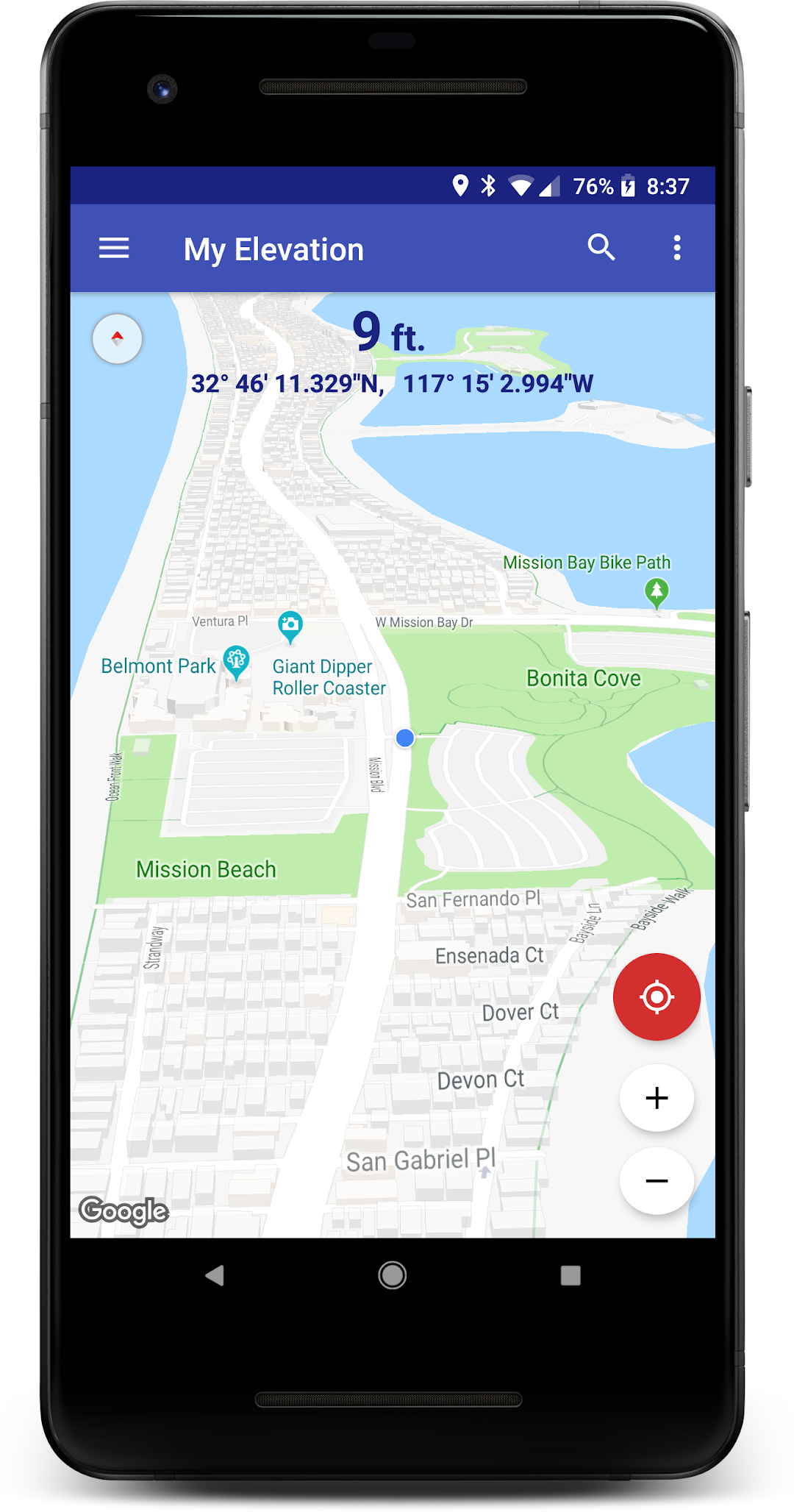
● Follow Me Mode - Follows your current location in real time. Watch your movements on a map and see your elevation and coordinates updating as you move.
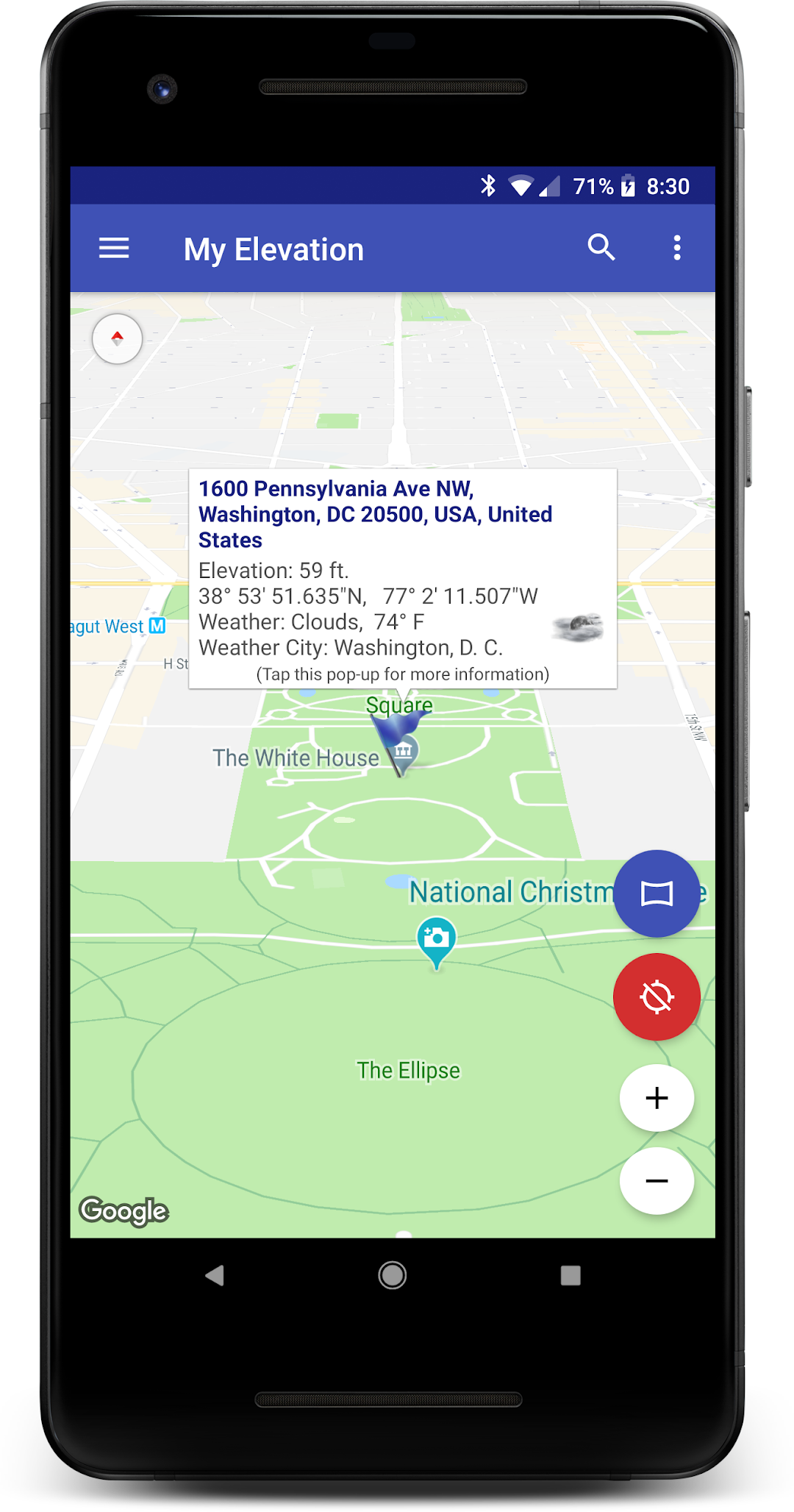
● Search for Locations and watch the map fly over to them. My Elevation will tell you the weather there and let you browse Wikipedia articles about attractions nearby the location. If you are curious at all about other places you will love this !
● Long press a location on the map and My Elevation will tell you the weather there and let you browse Wikipedia articles about attractions nearby the location.
● Add bookmarks for places you want to remember.
● Share your location or what you find in searches with your friends in a text or email.
Display Options
Map Mode - Lets you pick one of four Google Map types (Normal, Satellite, Topo and Hybrid)
Heading Up, Map Tilt and Night Mode
Try it out and let us know how it goes.
email us at rdhsoftware@gmail.com
or visit https://www.facebook.com/MyElevation
This application uses Google Analytics to collect anonymous data about how the application is used and what failures occur. This allows us to make the application better with each release. You can opt out of this by un-checking the Analytics data item in the application preferences. No personally identifying information is collected.
Open up


Comments about My Elevation Android Version
As far as I'm concerned, this is THE ONLY elevation map/calculator to use. Elevation, shown in 'ft.' above sea-level, is a smooth progression, in increments of one foot, (in distance, and in height, where applicable, which is, almost everywhere - I haven't discovered any deviations from this). Incrementation updating is very fast. The app mimics Google Maps©, very closely, so those familiar with that app, will feel right at home with this one. I would have named this app, "All Elevations", rather than, "My Elevation", however, since it does provide far more than one's current elevation. Spot-on!
I think this app is fantastic! It's very easy to use, accurate and loaded with information. The interface could define the term "intuitive", it's that good. (Microsoft, take a lesson). I've tried other elevation software but nothing I've tried even comes close to to My Elevation in terms of speed, accuracy, volume of practical information included, number of alternative views available and overall design. I love it!
Good App - No way to upgrade. I installed free version, used it for a few days then attempted to buy it but no option to do it. You only get that option before you buy it. Once you try it, you can't buy it. Too bad ...... uninstalling, and looking for another app. Also the search feature does not work. When you enter the address there is no button to start the search.
As far as I'm concerned, this is THE ONLY elevation map/calculator to use. Elevation, shown in 'ft.' above sea-level, is a smooth progression, in increments of one foot, (in distance, and in height, where applicable, which is, almost everywhere - I haven't discovered any deviations from this). Incrementation updating is very fast. The app mimics Google Maps©, very closely, so those familiar with that app, will feel right at home with this one. I would have named this app, "All Elevations", rather than, "My Elevation", however, since it does provide far more than one's current elevation. Spot-on!
I think this app is fantastic! It's very easy to use, accurate and loaded with information. The interface could define the term "intuitive", it's that good. (Microsoft, take a lesson). I've tried other elevation software but nothing I've tried even comes close to to My Elevation in terms of speed, accuracy, volume of practical information included, number of alternative views available and overall design. I love it!
Good App - No way to upgrade. I installed free version, used it for a few days then attempted to buy it but no option to do it. You only get that option before you buy it. Once you try it, you can't buy it. Too bad ...... uninstalling, and looking for another app. Also the search feature does not work. When you enter the address there is no button to start the search.
Is My Elevation safe for my device?
Open up
Yes, My Elevation follows the Google Play content guidelines to ensure safe use on your Android device.
What is an XAPK file, and what should I do if the My Elevation I downloaded is an XAPK file?
Open up
A file with .xapk extension is a compressed package file. It is a container file format that incorporates APK and additional associated files required for the installation.
The XAPK format was introduced to package the APK file and OBB file together for a seamless delivery and installation process.
XAPK format can help reduce the package size of application.
On mobile phones, users need to install the XAPK installer first, and then install XAPK files through that installer. You can find the installer here:https://apkcombo.com/how-to-install/. But on PC client, you just need to put the file on LDPlayer.
Can I play My Elevation on my computer?
Open up
Yes, you can play My Elevation on your computer by installing LDPlayer, an Android emulator. After installing LDPlayer, simply drag and drop the downloaded APK file into the emulator to start playing My Elevation on PC. Alternatively, you can open the emulator, search for the game or app you want to play, and install it from there.


