
Samsung Smart TV Remote is developed and provided by Smart TV Remote Pro.
Version1.37
Updated on
2024-10-08
Rating2.8
CategoryEntertainment
Package namecom.tvRemote.SamsungSmart
Downloads100+
Samsung Smart TV Remote Description
Open up
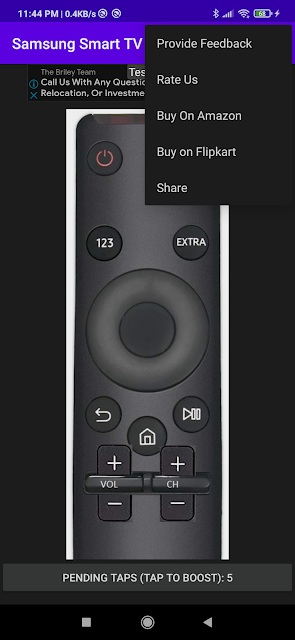

Comments about Samsung Smart TV Remote Android Version
I hate ads
Worst app ever this remote is for tv and i happen to loose my tv remote so tried to make it work with the help of this remote but once i opened the app it just simply says go buy a remote in amazon and surprisingly infact it even took me to the amazon site showing remotes of tv then what is the use to download is nonsense app just to lose my data mb?
Never buy anything from amazon , my big screen TV i bought used for $100 Now my remote needs replacing ? Amazon wants $350 ?? What ??
I hate ads
Worst app ever this remote is for tv and i happen to loose my tv remote so tried to make it work with the help of this remote but once i opened the app it just simply says go buy a remote in amazon and surprisingly infact it even took me to the amazon site showing remotes of tv then what is the use to download is nonsense app just to lose my data mb?
Never buy anything from amazon , my big screen TV i bought used for $100 Now my remote needs replacing ? Amazon wants $350 ?? What ??
Yes, Samsung Smart TV Remote follows the Google Play content guidelines to ensure safe use on your Android device.
A file with .xapk extension is a compressed package file. It is a container file format that incorporates APK and additional associated files required for the installation.
The XAPK format was introduced to package the APK file and OBB file together for a seamless delivery and installation process.
XAPK format can help reduce the package size of application.
On mobile phones, users need to install the XAPK installer first, and then install XAPK files through that installer.
But on PC client, you just need to put the file on LDPlayer.
Yes, you can play Samsung Smart TV Remote on your computer by installing LDPlayer, an Android emulator. After installing LDPlayer, simply drag and drop the downloaded APK file into the emulator to start playing Samsung Smart TV Remote on PC. Alternatively, you can open the emulator, search for the game or app you want to play, and install it from there.


