
Shera - file Sharing
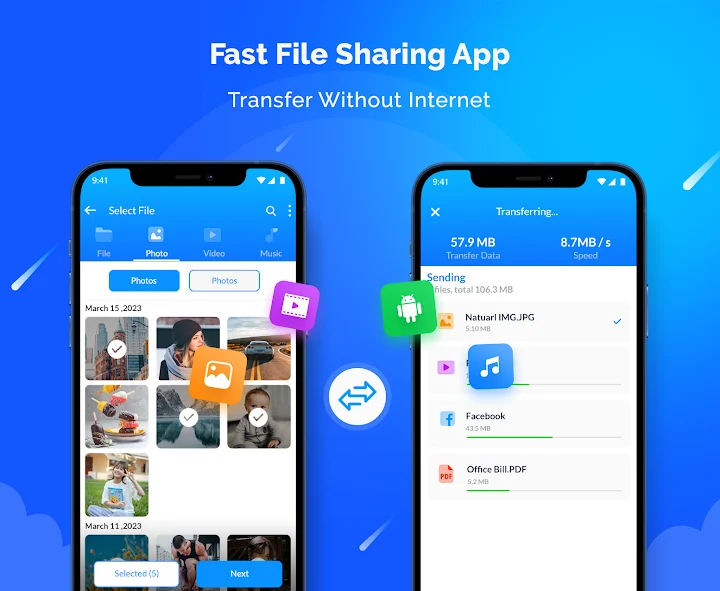
Send or receive files, movies, photos, documents over Web Share & Mobile Share
Leno softApp
Shera - file Sharing is developed and provided by Leno softApp.
VersionVaries with device
Rating4
CategoryTools
Package namefilesharing.fileshare.filetransfer.shareandtransfer
Downloads100+
Shera - file Sharing Description
𝘄𝗲𝗯 𝘀𝗵𝗮𝗿𝗲:
Shera is its ability to transfer files using web share. With web share, you can share files directly from your phone or tablet to any other device that has a web browser. This means that you can easily share files with people who are not using Shera file sharing app, without the need for them to install any additional software.
𝗺𝗼𝗯𝗶𝗹𝗲 𝘀𝗵𝗮𝗿𝗲:
As a powerful file sharing app, Shera offers a range of features to make sharing files between devices a breeze. Whether you need to share work documents with colleagues, transfer photos to a friend, or send a video to a family member, Shera has you covered. You can use Shera to transfer data including files, photos, videos, and documents. And with its built-in file share & receive feature, you can quickly and easily share files with other Shera users, without the need for any additional software or setup.
𝐬𝐚𝐟𝐞 𝐫𝐢𝐝𝐞:
When it comes to file sharing, security is a top priority. That's why File sharing app uses the latest encryption technology to ensure that your files are protected at all times. You can rest assured that your data is safe and secure, no matter what type of file you're sharing.
Another great feature of Shera is its ability to transfer large files without any limits or restrictions. This means that you can share even the largest files with ease, without having to worry about file size limits or other restrictions that can be frustrating when trying to transfer files.
Shera file sharing is also incredibly versatile when it comes to file types. Whether you're sharing photos, videos, documents, or anything else, Shera can handle it all. The app supports a wide range of file formats, so you can be sure that you'll be able to transfer whatever type of file you need to.
𝐊𝐞𝐲 𝐅𝐞𝐚𝐭𝐮𝐫𝐞𝐬:
▪ Fast and secure file sharing app
▪ Transfer data including files, documents, photos, and videos
▪ Share files via Bluetooth, Wi-Fi Direct, or email
▪ Built-in file share & receive feature for easy sharing with other ShareMate
user
▪ No limits or restrictions on file size
▪ Latest encryption technology to protect your data
▪ Fast and reliable file transfer technology
𝐎𝐯𝐞𝐫𝐚𝐥𝐥, Shera is an essential app for anyone who needs to transfer files regularly. Whether you're sharing files for work or personal use, Shera has everything you need to get the job done quickly and securely. With its powerful features and easy-to-use interface, File share is the ultimate file sharing app for Android devices. So why wait? Download Shera today and start sharing files like a pro!
write to us:
contact.lenosoftapp@gmail.com
Open up


Is Shera - file Sharing safe for my device?
Open up
Yes, Shera - file Sharing follows the Google Play content guidelines to ensure safe use on your Android device.
What is an XAPK file, and what should I do if the Shera - file Sharing I downloaded is an XAPK file?
Open up
A file with .xapk extension is a compressed package file. It is a container file format that incorporates APK and additional associated files required for the installation.
The XAPK format was introduced to package the APK file and OBB file together for a seamless delivery and installation process.
XAPK format can help reduce the package size of application.
On mobile phones, users need to install the XAPK installer first, and then install XAPK files through that installer. You can find the installer here:https://apkcombo.com/how-to-install/. But on PC client, you just need to put the file on LDPlayer.
Can I play Shera - file Sharing on my computer?
Open up
Yes, you can play Shera - file Sharing on your computer by installing LDPlayer, an Android emulator. After installing LDPlayer, simply drag and drop the downloaded APK file into the emulator to start playing Shera - file Sharing on PC. Alternatively, you can open the emulator, search for the game or app you want to play, and install it from there.


