

VLLO - Video Editor Vlog Edits
Editing with effect, filter, captions, mosaic, transition, text, and slow motion
vimosoft
VLLO - Video Editor Vlog Edits is developed and provided by vimosoft.
Version8.2.22
Updated on
2025-10-21
Rating3.0
CategoryVideo Players&Editors
Package namecom.darinsoft.vimo
Downloads500+
VLLO - Video Editor Vlog Edits Description
VLLO is a powerful video editor trusted by 40 million creators worldwide - perfect for both beginners and pros! Whether you're making your first vlog or creating content for YouTube, Instagram, or TikTok, VLLO's intuitive interface makes video editing feel natural and fun.
Beginners love how super simple it is to trim videos, add text, apply transitions, use templates, and add music with just a few taps. And when you're ready to dive deeper, advanced features like auto caption, PIP, AI tracking, and professional keyframe animations are waiting for you.
#All-in-one Editing
NO WATERMARK
• Create unlimited videos without any watermarks
• No payment required
POWERFUL AI TOOLS
• Auto Caption: Generate perfectly synced captions in one tap, available in multiple languages
• AI Face-Tracking: Make stickers, texts and blur to follow faces automatically
TRENDY TEMPLATES & GRAPHICS
• Decorate your videos with regularly updated trending templates
• Create and share your own templates
• Stickers, Frames, and Text Labels: 8000+ aesthetic, high quality assets
FILTERS, EFFECTS & TRANSITIONS
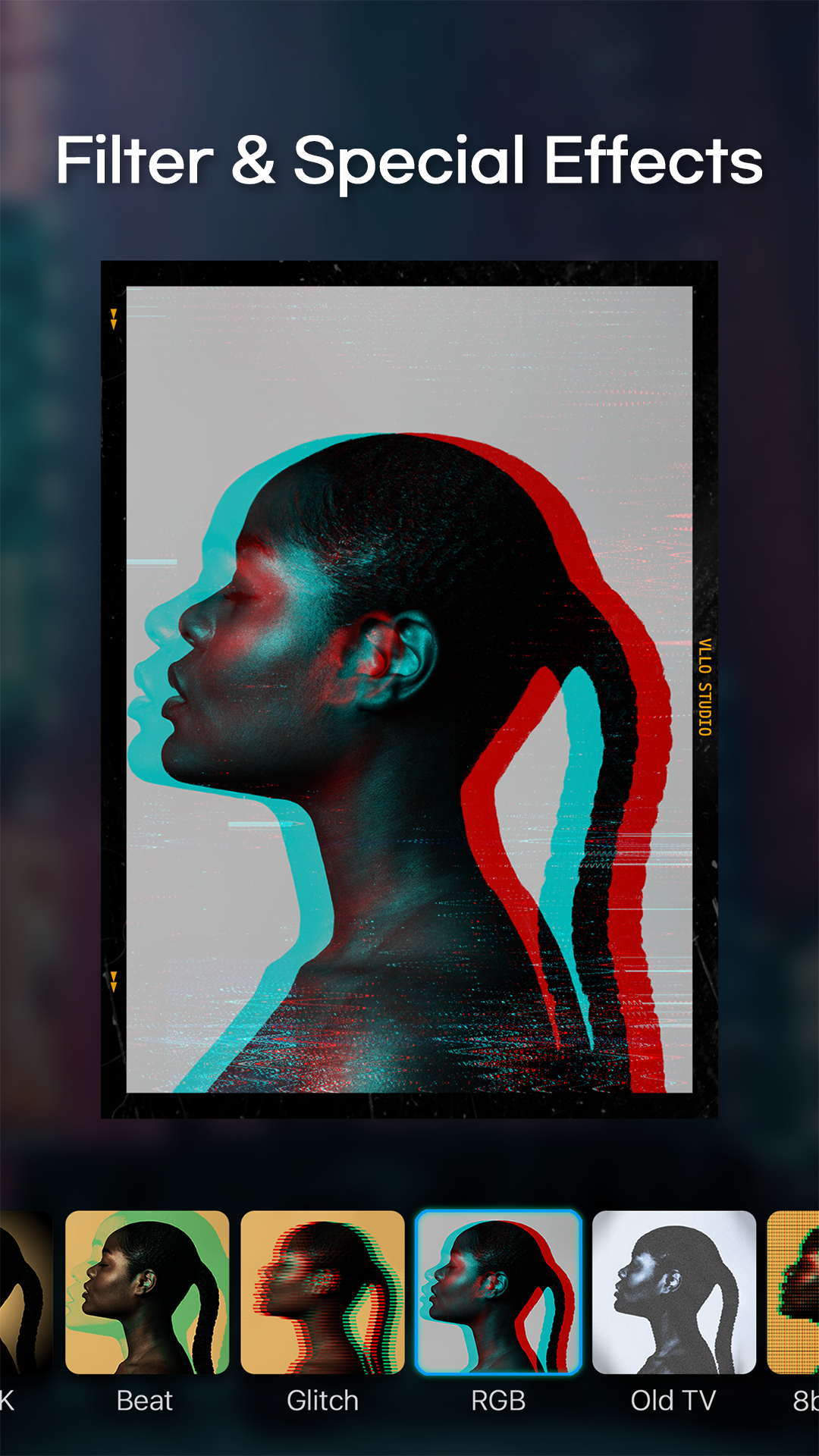
• Filters & Color Grading: Enjoy plenty of cinematic filters and professional color grading options like brightness, contrast, hue/saturation and shadows.
• Effects: Instantly elevate your videos with effects like glitch, retro, and zoom
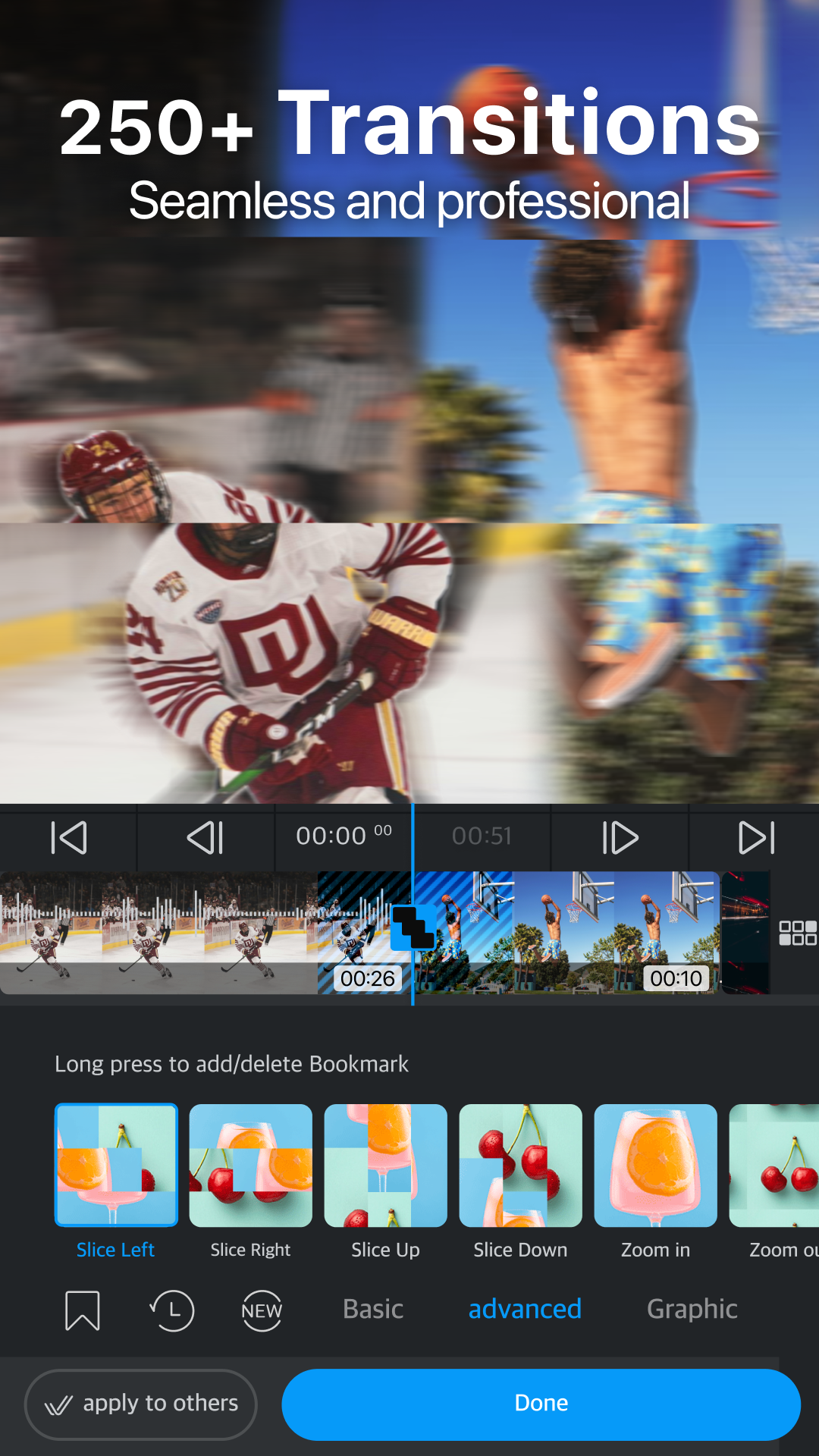
• Transitions: Create smooth flows from classic dissolve, swipes and rotates to trendy graphic animations
MUSIC & AUDIO
• Massive Audio Library : 1800+ copyright-free musics and sound effects, and you may also import your own music
• Sound Effects: 700+ sound effects to make your audio dynamic
• Audio Effects: Enhance your sound with fade in/out, pitch control, voice changing effects
• Voice Over: Record instantly with a single tap
• Audio Extract: Extract audio and musics from videos
ADVANCED VISUAL EFFECTS
• Chroma-key: Remove specific colors or background with just one tap
• Blur & Mosaic: Create stylish blur effects
• Text Styling: Customize color, shadows, and outline for individual characters
• Multi-track Editing: Layer videos, images and GIFs (PIP) and arrange them easily
ADVANCED MOTION CONTROL
• Keyframe: Create custom motion effects for all media
• Speed Control: Adjust video with speed and reverse
• Animation: Animate videos, texts and stickers with various effects and duration
EASY & INTUITIVE EDITING:
• Easy Cut Editing with trim, split, speed, reverse, rearrangements
• Convenient editing with automatic saving and unlimited redo/undo
• Precise editing with smart grid and magnetic settings
• Multiple video ratios for all platforms
• Easy-to-follow and helpful tutorials to get you started
HIGH QUALITY EXPORT & QUICK SHARE
• Export videos in stunning 4K resolution
• Share directly to Youtube, Instagram, TikTok, WhatsApp, etc
Download VLLO now and let's start creating something amazing together!
VLLO Terms of Use : https://www.vllo.io/vllo-terms-of-use
If you have any problems or suggestions using our app, please contact us: cs@vimosoft.com
Open up


Comments about VLLO - Video Editor Vlog Edits Android Version
Lots of handy tools for editing! Best editer i have tried so far. Tho it does have stuff to improve on, it's a really good editing app. My only complaints so far would be the few crop ratio options and not being able to add my own stickers (lots of good stickers but they don't have all the stickers i would want. Being able to add my own stickers would bypass having to wait around for new stickers to come out that i would want to use)
They have the future to beat all video editing app once it could replicate the 10-bit color depth. I couldn't use it for now because exporting 10-bit video to 8-bit is not that good. Most new phones are now recording 10-bit HEVC format. I'm still using PD because it could preserve color information from 10-bit video file once you export your final video to AVC but it's not efficient to edit as VLLO.
This is a great video editor, probably one of the best ones for mobile. I rate it three stars though because of the issue when it constantly forgets that you're a lifetime member after about a month or so of usage. Uninstalling and reinstalling the editor fixes the problem most of the time, but sometimes I also have to restart my phone before reinstalling in order for it to remember. I hope you fix this issue, because it is highly annoying, and until then I will keep my rating at the third star.
Lots of handy tools for editing! Best editer i have tried so far. Tho it does have stuff to improve on, it's a really good editing app. My only complaints so far would be the few crop ratio options and not being able to add my own stickers (lots of good stickers but they don't have all the stickers i would want. Being able to add my own stickers would bypass having to wait around for new stickers to come out that i would want to use)
They have the future to beat all video editing app once it could replicate the 10-bit color depth. I couldn't use it for now because exporting 10-bit video to 8-bit is not that good. Most new phones are now recording 10-bit HEVC format. I'm still using PD because it could preserve color information from 10-bit video file once you export your final video to AVC but it's not efficient to edit as VLLO.
This is a great video editor, probably one of the best ones for mobile. I rate it three stars though because of the issue when it constantly forgets that you're a lifetime member after about a month or so of usage. Uninstalling and reinstalling the editor fixes the problem most of the time, but sometimes I also have to restart my phone before reinstalling in order for it to remember. I hope you fix this issue, because it is highly annoying, and until then I will keep my rating at the third star.
Is VLLO - Video Editor Vlog Edits safe for my device?
Open up
Yes, VLLO - Video Editor Vlog Edits follows the Google Play content guidelines to ensure safe use on your Android device.
What is an XAPK file, and what should I do if the VLLO - Video Editor Vlog Edits I downloaded is an XAPK file?
Open up
A file with .xapk extension is a compressed package file. It is a container file format that incorporates APK and additional associated files required for the installation.
The XAPK format was introduced to package the APK file and OBB file together for a seamless delivery and installation process.
XAPK format can help reduce the package size of application.
On mobile phones, users need to install the XAPK installer first, and then install XAPK files through that installer. You can find the installer here:https://apkcombo.com/how-to-install/. But on PC client, you just need to put the file on LDPlayer.
Can I play VLLO - Video Editor Vlog Edits on my computer?
Open up
Yes, you can play VLLO - Video Editor Vlog Edits on your computer by installing LDPlayer, an Android emulator. After installing LDPlayer, simply drag and drop the downloaded APK file into the emulator to start playing VLLO - Video Editor Vlog Edits on PC. Alternatively, you can open the emulator, search for the game or app you want to play, and install it from there.
Program Available in Other Languages
下載 VLLO,我的第一款Vlog影片剪輯App[TW]
VLLO 블로, 나의 첫 동영상 편집기 다운로드[KR]
Tải VLLO - Video Editor Vlog Edits[VI]
ดาวน์โหลด VLLO - ตัดต่อวีดีโอได้ง่ายๆ[TH]
Baixar VLLO, editor de vídeo fácil[PT]
Descargar VLLO,Mi Primer Editor de Vídeo[ES]
Télécharger VLLO,mon premier éditeur vidéo[FR]
VLLO - Video Editor Vlog Edits herunterladen[DE]
VLLO ブロ , はじめてのビデオエディターをダウンロード[JP]
Unduh VLLO - Video Editor Vlog Edits[ID]
تنزيل VLLO - Video Editor Vlog Edits[AR]



