
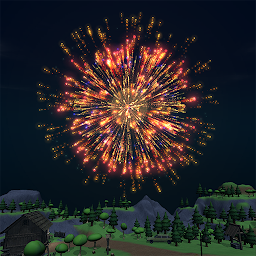
Fireworks Simulator 3D is developed and provided by AmarJSB.
Version4.1.1
Updated on
2025-08-20
Rating4.0
CategorySimulation
Package namecom.AmarJSB.FireworksSimulator3D
Fireworks Simulator 3D Description
There are various types of fireworks that can be played and are free to light anywhere in this game.
Experience the fireworks simulation game designed to captivate your senses with stunning 3D visuals, dynamic effects, and a vast open-world environment. Whether you're celebrating a special occasion or just enjoying the art of pyrotechnics, this game offers endless possibilities for creativity and fun.
Key Features:
Single Player (Offline) Mode: Dive into the immersive experience of creating your own firework displays. Experiment with a wide variety of fireworks, design choreographed shows, or simply enjoy the calming beauty of lights and colors. Play anytime, anywhere without needing an internet connection.
Multiplayer (Online) Mode: Connect with friends or players worldwide to celebrate together in real time. Host parties, showcase your creative firework displays, and collaborate with others to design grand celebrations. The multiplayer mode makes every moment more exciting and interactive.
Wide Variety of Fireworks: Choose from rockets, fountains, sparklers, and even unique fireworks such as Christmas tree fireworks. Each type is meticulously designed to provide a realistic and satisfying visual and auditory experience.
Hidden Easter Eggs: Dive deeper into the game and uncover hidden surprises! Explore different areas of the world to find secret easter eggs that unlock special items, unique effects, or even hidden locations. These surprises are scattered throughout the game for you to discover—will you find them all?
Why Choose This Game?
This game is more than just a fireworks simulator. It’s a platform for creativity, collaboration, and celebration. Whether you're a casual player looking for relaxation or someone who enjoys designing intricate displays, this game has something for everyone. Celebrate birthdays, holidays, or any special event, or just light fireworks for fun and relaxation.
Endless Fun for All Ages
Perfect for players of all ages, this game allows you to experience the joy of fireworks safely and conveniently. Relive the thrill of lighting fireworks without worrying about cleanup or safety hazards.
Join the Celebration
Don’t just watch the fireworks—be part of the show! With its unique blend of offline and online gameplay, this fireworks simulator game brings people together to celebrate in ways never seen before. Download now and let the celebrations begin!
Open up


Is Fireworks Simulator 3D safe for my device?
Open up
Yes, Fireworks Simulator 3D follows the Google Play content guidelines to ensure safe use on your Android device.
What is an XAPK file, and what should I do if the Fireworks Simulator 3D I downloaded is an XAPK file?
Open up
A file with .xapk extension is a compressed package file. It is a container file format that incorporates APK and additional associated files required for the installation.
The XAPK format was introduced to package the APK file and OBB file together for a seamless delivery and installation process.
XAPK format can help reduce the package size of application.
On mobile phones, users need to install the XAPK installer first, and then install XAPK files through that installer. You can find the installer here:https://apkcombo.com/how-to-install/. But on PC client, you just need to put the file on LDPlayer.
Can I play Fireworks Simulator 3D on my computer?
Open up
Yes, you can play Fireworks Simulator 3D on your computer by installing LDPlayer, an Android emulator. After installing LDPlayer, simply drag and drop the downloaded APK file into the emulator to start playing Fireworks Simulator 3D on PC. Alternatively, you can open the emulator, search for the game or app you want to play, and install it from there.


