
Device RAM Memory
Use Device Ram & Memory app to see Realtime CPU and storage information
Ayaz ul hasan
Device RAM Memory is developed and provided by Ayaz ul hasan. LDPlayer offers the download service only.
Version1.0.17
Updated on
2024-03-24
Rating4.8
CategoryTools
Package namecom.od.ram.check.performance.test.information.device.android.speed.memory
Downloads100+
Device RAM Memory Description
Device RAM Memory
Description:
Is your device feeling sluggish or running out of memory? Boost its performance, free up valuable space, and check Android details with Device RAM Memory.
Details:
Certainly, if one of the key features of your app "Device RAM Memory" is to check “Model”, “Operating System”, “Battery”, ”RAM”, “GPU”, “Frames Per Second” and provide users with detailed information about their Android device, you can include that in your app's description.
Here's an updated app description highlighting this feature:
Key Features:
📱 Model Details:
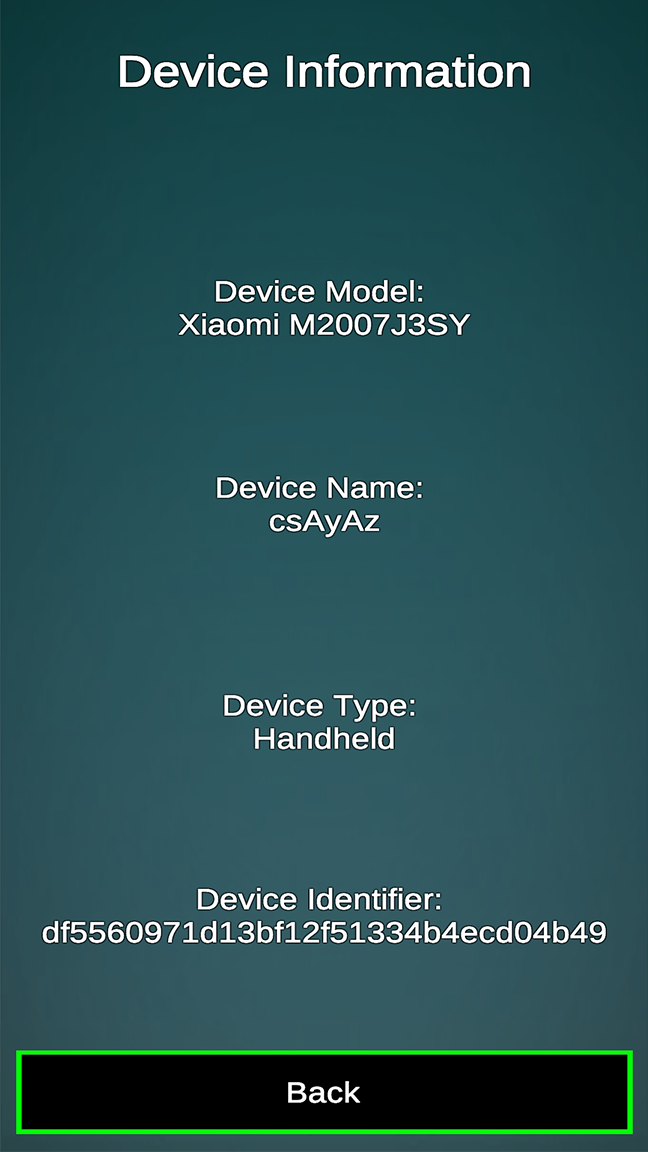
Check detailed information about your device, including model name, manufacturer, Android version, and more.
📱 Operating System Details:
Check detailed information about your device's operating system, including version, build number, security patch level, and more.
🔋 Battery Saver:
Get detailed insights into your device's battery health and status. Optimize background processes to extend your battery life and keep your device running longer.
📱 Battery Status Details:
Check comprehensive information about your device's battery, including health, capacity, temperature, voltage, and charging status.
📊 RAM Status:
Check detailed information about your device's RAM, including usage, available RAM, and performance statistics.
💾 RAM Size Details:
Get comprehensive data on your device's RAM size, type, and configuration.
🚀 RAM:
Apps and processes, ensuring your phone runs smoothly.
🗂️ Memory Cleanup:
Quickly identify and remove unnecessary files, cache, and junk to reclaim storage space.
🎮 GPU Details:
Check comprehensive information about your device's GPU, including model, type, size, and performance metrics.
📊 GPU Size Details:
Get detailed data on your device's GPU size, memory, and configuration.
📊 Comprehensive Device Details:
Access a wealth of information about your Android device, including:
Model name and manufacturer
Android version and build number
Security patch level
RAM and GPU details
Battery health and temperature
Storage usage breakdown
📊 FPS (Frames Per Second) Details:
Monitor and analyze the performance of your device with detailed FPS information. Track frame rates in games and applications for a smoother experience.
💡 Device Insights:
Get real-time insights into your device's CPU and GPU usage, battery status, storage availability, and network connections.
📁 Storage Analyzer:
Visualize your storage usage and easily manage your files to keep your device organized.
🔄 SWAP File Creation:
Enhance your device's performance by creating SWAP files without the need for root access.
Download Device RAM Memory now and enjoy a faster, more efficient device while gaining valuable insights into “Model”, “Operating System”, “Battery”, ”RAM”, “GPU”, “Frames Per Second” and others. Say goodbye to lag and hello to smooth, responsive graphics!
Have questions or feedback? Contact us at
[ ayyazulhassanwatto72@gmail.com].
This updated description highlights the added feature of providing details about “Model”, “Operating System”, “Battery”, ”RAM”, “GPU”, and “Frames Per Second”, which can be a valuable tool for users who are interested in monitoring the performance of their device, especially in gaming and graphics-intensive applications.
Description:
Is your device feeling sluggish or running out of memory? Boost its performance, free up valuable space, and check Android details with Device RAM Memory.
Details:
Certainly, if one of the key features of your app "Device RAM Memory" is to check “Model”, “Operating System”, “Battery”, ”RAM”, “GPU”, “Frames Per Second” and provide users with detailed information about their Android device, you can include that in your app's description.
Here's an updated app description highlighting this feature:
Key Features:
📱 Model Details:
Check detailed information about your device, including model name, manufacturer, Android version, and more.
📱 Operating System Details:
Check detailed information about your device's operating system, including version, build number, security patch level, and more.
🔋 Battery Saver:
Get detailed insights into your device's battery health and status. Optimize background processes to extend your battery life and keep your device running longer.
📱 Battery Status Details:
Check comprehensive information about your device's battery, including health, capacity, temperature, voltage, and charging status.
📊 RAM Status:
Check detailed information about your device's RAM, including usage, available RAM, and performance statistics.
💾 RAM Size Details:
Get comprehensive data on your device's RAM size, type, and configuration.
🚀 RAM:
Apps and processes, ensuring your phone runs smoothly.
🗂️ Memory Cleanup:
Quickly identify and remove unnecessary files, cache, and junk to reclaim storage space.
🎮 GPU Details:
Check comprehensive information about your device's GPU, including model, type, size, and performance metrics.
📊 GPU Size Details:
Get detailed data on your device's GPU size, memory, and configuration.
📊 Comprehensive Device Details:
Access a wealth of information about your Android device, including:
Model name and manufacturer
Android version and build number
Security patch level
RAM and GPU details
Battery health and temperature
Storage usage breakdown
📊 FPS (Frames Per Second) Details:
Monitor and analyze the performance of your device with detailed FPS information. Track frame rates in games and applications for a smoother experience.
💡 Device Insights:
Get real-time insights into your device's CPU and GPU usage, battery status, storage availability, and network connections.
📁 Storage Analyzer:
Visualize your storage usage and easily manage your files to keep your device organized.
🔄 SWAP File Creation:
Enhance your device's performance by creating SWAP files without the need for root access.
Download Device RAM Memory now and enjoy a faster, more efficient device while gaining valuable insights into “Model”, “Operating System”, “Battery”, ”RAM”, “GPU”, “Frames Per Second” and others. Say goodbye to lag and hello to smooth, responsive graphics!
Have questions or feedback? Contact us at
[ ayyazulhassanwatto72@gmail.com].
This updated description highlights the added feature of providing details about “Model”, “Operating System”, “Battery”, ”RAM”, “GPU”, and “Frames Per Second”, which can be a valuable tool for users who are interested in monitoring the performance of their device, especially in gaming and graphics-intensive applications.
Open up



Currently, Device RAM Memory APK download is not available. Please proceed to download from the Google Play Store.
Get from Play Store
1. Click "Get from Play Store
2. Download Device RAM Memory from the Play Store
3. Launch and enjoy Device RAM Memory
Comments about Device RAM Memory Android Version
Very very good Excellent performance Helpfull app
Really good, tells me about my phone.
Way to many ads and slows down phone even more .
Very very good Excellent performance Helpfull app
Really good, tells me about my phone.
Way to many ads and slows down phone even more .
Is Device RAM Memory safe for my device?
Open up
Yes, Device RAM Memory follows the Google Play content guidelines to ensure safe use on your Android device.
What is an XAPK file, and what should I do if the Device RAM Memory I downloaded is an XAPK file?
Open up
A file with .xapk extension is a compressed package file. It is a container file format that incorporates APK and additional associated files required for the installation.
The XAPK format was introduced to package the APK file and OBB file together for a seamless delivery and installation process.
XAPK format can help reduce the package size of application.
On mobile phones, users need to install the XAPK installer first, and then install XAPK files through that installer. You can find the installer here:https://apkcombo.com/how-to-install/. But on PC client, you just need to put the file on LDPlayer.
Can I play Device RAM Memory on my computer?
Open up
Yes, you can play Device RAM Memory on your computer by installing LDPlayer, an Android emulator. After installing LDPlayer, simply drag and drop the downloaded APK file into the emulator to start playing Device RAM Memory on PC. Alternatively, you can open the emulator, search for the game or app you want to play, and install it from there.
Search Recommendation


