MapleStory M - Fantasy MMORPG
TalesWeaver Collab now! Level Boris fast with Burning and play story dungeons!
NEXON Company
MapleStory M - Fantasy MMORPG is developed and provided by NEXON Company.
Version2.150.4521
Updated on
2025-09-26
Rating4.0
CategoryRole Playing
Package namecom.nexon.maplem.global
Downloads27K+
MapleStory M - Fantasy MMORPG Description
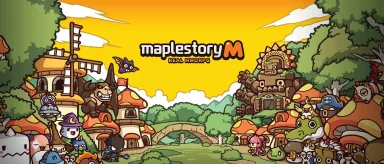
Adventurer! Your journey across the Maple World begins now in MapleStory M, the iconic gacha fantasy mobile game.
From Henesys and Kerning City to the sky-high Ludibrium—battle through beautiful 2D worlds that combine the nostalgia of classic MMORPGs with the thrill of modern gacha systems.
Challenge endless content like Star Force Fields, Mu Lung Dojo, Monster Park, Story Exploration, and Kerning M Tower to grow your hero to greatness in this fun MMORPG game.
________________________________________
▶ Customize your own unique character ◀
Whether you’re a MapleStory veteran or a new MMORPG mobile gamer, this anime RPG lets you stand out. From stylish outfits and fantasy hair dyes to adorable pets and androids—create your story your way.
________________________________________
▶ Stronger together: Multiplayer MMORPG action ◀
Form guilds, go on co-op boss raids, and climb leaderboards in true MMORPG fashion. Whether you're here for anime, fantasy, or social adventure, MapleStory M has it all.
________________________________________
🌟 Auto-battle through gacha-rich dungeons—build your strength anytime, anywhere in this anime fantasy world!
🌟 Enjoy anime, mobile RPG combat, and deep character growth all in one gacha-friendly MMORPG!
🌟 With constant updates and fantasy events, the adventure never ends in MapleStory M!
🌟 Download now and rediscover why this anime MMORPG is the best mobile fantasy experience today!
■ Support & Community
Are you having problems? Contact our 1:1 Support in-game or send us an inquiry at
help_MapleStoryM@nexon.com
[For the best gaming experience, MapleStory M requires OS 5.0, CPU dual-core and RAM 1.5GB or higher. Some devices under the specification may have difficulties running the game.]
Follow us on our official communities to get the latest news and updates!
Facebook: http://www.facebook.com/PlayMapleM
Terms of Service: http://m.nexon.com/terms/304
Privacy Policy: http://m.nexon.com/terms/305
■ App Permissions Information
In order to provide the following services, we are requesting certain permissions.
[Mandatory Access Rights]
Save picture/media/file: game installation file, save update file and attach screenshots for customer service
[Optional Permission]
Phone: Allow your phone number to be collected for promotional text messages
Notifications: Allow the app to send service notifications.
Bluetooth: Required to communicate with nearby Bluetooth devices.
※ This authorization only applies to certain countries, so numbers may not be collected from all players.
[How to withdraw access rights]
▶ Android 6.0 or higher: Settings > Applications > Select App > Permissions
▶ Under Android 6.0: Update OS version to retract permissions; Uninstall app
※ If the app does not ask you to grant your permission, manage your permissions by following by the above steps.
Open up


Yes, MapleStory M - Fantasy MMORPG follows the Google Play content guidelines to ensure safe use on your Android device.
A file with .xapk extension is a compressed package file. It is a container file format that incorporates APK and additional associated files required for the installation.
The XAPK format was introduced to package the APK file and OBB file together for a seamless delivery and installation process.
XAPK format can help reduce the package size of application.
On mobile phones, users need to install the XAPK installer first, and then install XAPK files through that installer.
But on PC client, you just need to put the file on LDPlayer.
Yes, you can play MapleStory M - Fantasy MMORPG on your computer by installing LDPlayer, an Android emulator. After installing LDPlayer, simply drag and drop the downloaded APK file into the emulator to start playing MapleStory M - Fantasy MMORPG on PC. Alternatively, you can open the emulator, search for the game or app you want to play, and install it from there.
Program Available in Other Languages
下載 楓之谷M - 奇幻冒險MMORPG[TW]
MapleStory M - Fantasy MMORPG 다운로드[KR]
ดาวน์โหลด MapleStory M - MMORPG แฟนตาซี[TH]
Скачать MapleStory M - Fantasy MMORPG[RU]
Baixar MapleStory M - Fantasy MMORPG[PT]
Descargar MapleStory M, MMORPG fantasía[ES]
Télécharger MapleStory M - Fantasy MMORPG[FR]
MapleStory M - Fantasy MMORPG herunterladen[DE]
MapleStory M - Fantasy MMORPGをダウンロード[JP]
Unduh MapleStory M - Fantasy MMORPG[ID]
تنزيل MapleStory M - Fantasy MMORPG[AR]