
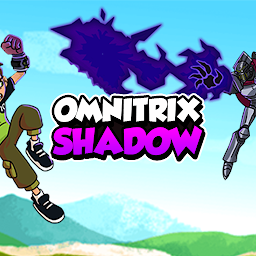
Omnitrix Shadow
The world needs saving once more, and Ben is totally counting on you to save it
Ach dev studio
Omnitrix Shadow is developed and provided by Ach dev studio. LDPlayer offers the download service only.
Version2.1.0
Updated on
2023-08-23
Rating3.6
CategoryAdventure
Package namecom.AchDevStudio.OmnitrixShadow
Omnitrix Shadow Description
This nasty villain has infected the Omnitrix with some new technology. As a result, Ben can access only three alien forms from his watch at a time. The rest are well locked there. Now, there is only one person that can help with that and you must take Ben to him!
Prepare for a dangerous journey!
Nobody said that the road to victory is easy, and neither is this one. Your goal now is to get Steam Smythe to help you find Forever Knight, who used that technology that jammed the Omnitrix. Unfortunately for you, the road there is filled with villains.
Somebody made sure to give you the hardest time solving this quest. This is why your journey will be filled with robots eager to kick you out of your senses. While they might not be so technologically advanced, their only goal is to get you down.
For this game, you will have to use mostly your joystick on screen. Press the Arrow button on screen to move around the place as you please, and if you need to, you can jump by touch the jump button. Nothing out of the ordinary here.
For the more exciting part, namely, the attacking, you will mostly use the Attack button. You can also use the button magic to launch a special attack. Each one is unique to the alien you are transformed into. However, try not to abuse the last one because it requires quite a long time to recharge. If you use it recklessly, you will regret it at some point!
Switch between Aliens!
What makes this game even more interesting is that you will not be playing with only one character at a time! Instead, you can switch between three. That's the beauty of the Omnitrix, right?
To spice things even more, during the game, you will be able to access the map at some points. There you can go up on the HQ and talk to Gwen to select different aliens. That means that you can pick any three characters you think are the best for the tasks.
There are four categories of aliens: Energy, Strength, Slash, and Impact. They are divided based on the type of special attack. Make sure to experiment with each one to find the ones you manage best.
When picking them, make sure to check their traits. Some of them might be fast and cause lots of damage but have poor health. Try to find an equilibrium between your three choices. Maybe even get a little bit from each!
Make use of the upgrades!
Moreover, if you are still not satisfied with the aliens' skills, you can always talk to Max about some upgrading. Unfortunately, this improvement comes at a cost. You will have to collect the pink bubbles before you are allowed to boost anything up.
Here's a tip for you! Make sure to break every box you encounter on your way. They can contain valuable bubbles! Collect them to be able to make better upgrades faster. Sometimes you might even find little hearts. Those will boost your health levels damaged in combats.
These being said, you are now ready to begin your journey! Remember that, along the way, you might also come across some robots that are too difficult to defeat. Avoid a reckless confrontation! Instead of diving headfirst into trouble, better wait until you are powerful enough. You can always return to any point passed on the map!
Open up


Currently, Omnitrix Shadow APK download is not available. Please proceed to download from the Google Play Store.
Get from Play Store
1. Click "Get from Play Store
2. Download Omnitrix Shadow from the Play Store
3. Launch and enjoy Omnitrix Shadow
Is Omnitrix Shadow safe for my device?
Open up
Yes, Omnitrix Shadow follows the Google Play content guidelines to ensure safe use on your Android device.
What is an XAPK file, and what should I do if the Omnitrix Shadow I downloaded is an XAPK file?
Open up
A file with .xapk extension is a compressed package file. It is a container file format that incorporates APK and additional associated files required for the installation.
The XAPK format was introduced to package the APK file and OBB file together for a seamless delivery and installation process.
XAPK format can help reduce the package size of application.
On mobile phones, users need to install the XAPK installer first, and then install XAPK files through that installer. You can find the installer here:https://apkcombo.com/how-to-install/. But on PC client, you just need to put the file on LDPlayer.
Can I play Omnitrix Shadow on my computer?
Open up
Yes, you can play Omnitrix Shadow on your computer by installing LDPlayer, an Android emulator. After installing LDPlayer, simply drag and drop the downloaded APK file into the emulator to start playing Omnitrix Shadow on PC. Alternatively, you can open the emulator, search for the game or app you want to play, and install it from there.


