
Switch Access is developed and provided by Google LLC. LDPlayer offers the download service only.
Version1.16.1.798952610
Updated on
2025-08-27
Rating3.0
CategoryTools
Package namecom.google.android.accessibility.switchaccess
Downloads100+
Switch Access Description
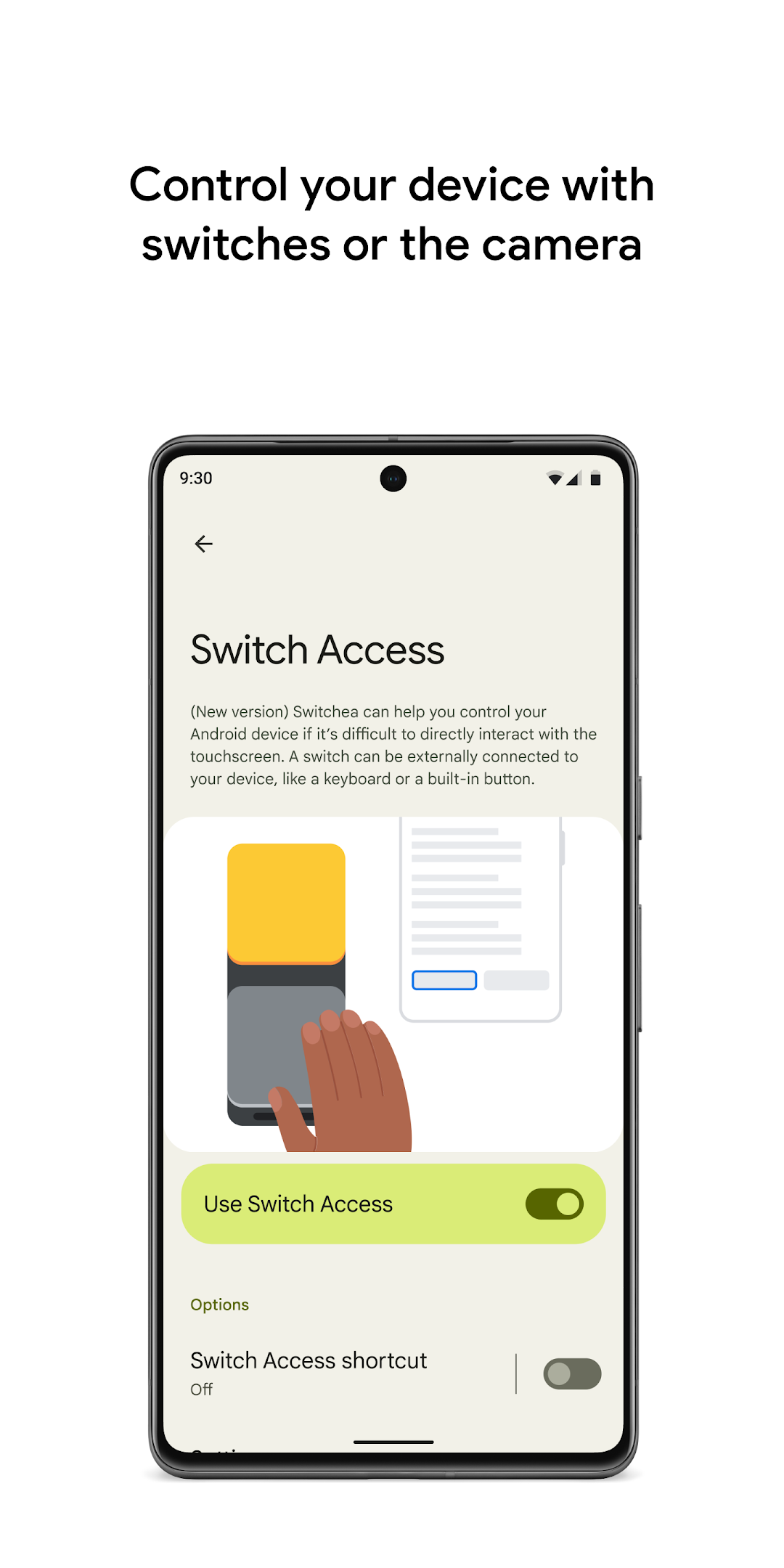
Switch Access helps you interact with your Android device using one or more switches instead of the touchscreen. Switch Access can be helpful if you can't interact directly with your device.
To get started:
1. Open your device's Settings app.
2. Tap Accessibility > Switch Access.
Set up a switch
Switch Access scans the items on your screen and highlights each item until you make a selection. You can choose from a few kinds of switches:
Physical switches
• USB or Bluetooth switches, like buttons or keyboards
• On-device switches, like volume buttons
Camera switches
• Open your mouth, smile, or raise your eyebrows
• Look left, right, or up
Scan your device
After setting up a switch, you can scan and interact with things on the screen.
• Linear scanning: Move between items one at a time.
• Row-column scanning: Scan one row at a time. After a row is selected, move through items in that list.
• Point scanning: Use moving lines to select a specific horizontal and vertical location, then press "Select".
• Group selection: Assign switches to different color groupings. All items on the screen will be assigned a color. Press the switch corresponding to the color around the item you want. Narrow down the size of the group until you reach your choice.
Use the menus
When an element is selected, you'll see a menu with available interactions, like select, scroll, copy, paste, and more.
There will also be a menu at the top of the screen to help you move around your device. For example, you can open notifications, go to the home screen, change the volume, and more.
Navigate with Camera Switches
You can use Camera Switches to navigate your phone with facial gestures. Browse or select apps on your phone with the use of your phone’s front camera.
You can also customize the sensitivity and duration of each gesture to better fit your needs.
Record shortcuts
You can record touch gestures that can be assigned to a switch or started from a menu. Touch gestures can include pinching, zooming, scrolling, swiping, double tapping, and more. You can then start frequent or complex actions with a single switch, for example, recording a gesture that swipes left twice to turn two pages of an ebook.
Permissions Notice
• Accessibility Service: Because this app is an accessibility service, it can observe your actions, retrieve window content, and observe text that you type.
Open up


Currently, Switch Access APK download is not available. Please proceed to download from the Google Play Store.
Get from Play Store
1. Click "Get from Play Store
2. Download Switch Access from the Play Store
3. Launch and enjoy Switch Access
Comments about Switch Access Android Version
Switch does not work!!! Impalpable, never succeeded, always replys that it is unsuccessful regarding point of entry. I have read numerous times that this app is not applicable. I have ignore this suggestion numerous times and eventually downloaded it. Big mistake, I should have listened to what others have said and gone with my instinct. Failure all the way and completely. I have now uninstalled this worthless app. I felt that this app was a failure and the app never explained anexplaination.
Just for context: this app is a part of the Android operating system, which has been separated into a modular, upgradable component as part of Google's Project Mainline. Basically, this means it can be updated by Google directly, without needing to wait for a full Android upgrade. Its status as a part of the OS explains the "intrusive" permissions that other reviews have complained about, and its "undesired" presence on their devices. Also, notice that this module is an accessibility tool!
This app appears only after updating system to 14... It claims it is for accessibility issues..to add an external means to allow for screen manipulation when there "is an issue with your touchscreen". What issue are they referencing?? If your touchscreen is malfunctioning then there seems to be issue with the operating system as a whole, and how then, would any device help one to bypass this issue???? AND WHY would it need updating immediately upon discovery??? Hmmm🧐
Switch does not work!!! Impalpable, never succeeded, always replys that it is unsuccessful regarding point of entry. I have read numerous times that this app is not applicable. I have ignore this suggestion numerous times and eventually downloaded it. Big mistake, I should have listened to what others have said and gone with my instinct. Failure all the way and completely. I have now uninstalled this worthless app. I felt that this app was a failure and the app never explained anexplaination.
Just for context: this app is a part of the Android operating system, which has been separated into a modular, upgradable component as part of Google's Project Mainline. Basically, this means it can be updated by Google directly, without needing to wait for a full Android upgrade. Its status as a part of the OS explains the "intrusive" permissions that other reviews have complained about, and its "undesired" presence on their devices. Also, notice that this module is an accessibility tool!
This app appears only after updating system to 14... It claims it is for accessibility issues..to add an external means to allow for screen manipulation when there "is an issue with your touchscreen". What issue are they referencing?? If your touchscreen is malfunctioning then there seems to be issue with the operating system as a whole, and how then, would any device help one to bypass this issue???? AND WHY would it need updating immediately upon discovery??? Hmmm🧐
Is Switch Access safe for my device?
Open up
Yes, Switch Access follows the Google Play content guidelines to ensure safe use on your Android device.
What is an XAPK file, and what should I do if the Switch Access I downloaded is an XAPK file?
Open up
A file with .xapk extension is a compressed package file. It is a container file format that incorporates APK and additional associated files required for the installation.
The XAPK format was introduced to package the APK file and OBB file together for a seamless delivery and installation process.
XAPK format can help reduce the package size of application.
On mobile phones, users need to install the XAPK installer first, and then install XAPK files through that installer. You can find the installer here:https://apkcombo.com/how-to-install/. But on PC client, you just need to put the file on LDPlayer.
Can I play Switch Access on my computer?
Open up
Yes, you can play Switch Access on your computer by installing LDPlayer, an Android emulator. After installing LDPlayer, simply drag and drop the downloaded APK file into the emulator to start playing Switch Access on PC. Alternatively, you can open the emulator, search for the game or app you want to play, and install it from there.


