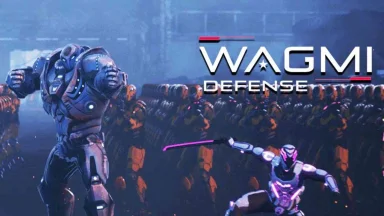
NiFe WARS: Last Defense is developed and provided by Wagmi Game Co..
Version6.5.0
Updated on
2025-09-22
Rating4.0
CategoryStrategy
Package namecom.wagmigame
Downloads100+
NiFe WARS: Last Defense Description
Why NiFe WARS Stands Out:
⚔️ Thrilling 1v1 PvP Tower Defense: Outsmart opponents in fast-paced, real-time battles to protect your towers and destroy enemy bases.
🃏 Level Up 400+ Collectible Cards: Strategically craft epic decks with 32 unique characters, evolving from Common to Legendary for ultimate power.
🏆 Dominate Global Tournaments: Compete in seasonal resets and climb leaderboards to become the ultimate sci-fi strategist.
🚀 Immersive Sci-Fi Universe: Battle across Nemosh in the NiFe Wars with stunning, high-fidelity visuals that bring the year 3022 to life.
See you on the battlefield!
This game requires a network connection to play. In-game resources such as Adallium can be purchased with real money. You can disable this feature in your device settings. Compatibility may change over time.
For more information, please visit nifewars.com (http://www.nifewars.com/game)
Need help? You can email us at support@nifewars.com
Privacy Policy: https://www.nifewars.com/legal-pages/privacy-policy
Terms of Service: https://www.nifewars.com/legal-pages/terms-conditions
Open up


Yes, NiFe WARS: Last Defense follows the Google Play content guidelines to ensure safe use on your Android device.
A file with .xapk extension is a compressed package file. It is a container file format that incorporates APK and additional associated files required for the installation.
The XAPK format was introduced to package the APK file and OBB file together for a seamless delivery and installation process.
XAPK format can help reduce the package size of application.
On mobile phones, users need to install the XAPK installer first, and then install XAPK files through that installer.
But on PC client, you just need to put the file on LDPlayer.
Yes, you can play NiFe WARS: Last Defense on your computer by installing LDPlayer, an Android emulator. After installing LDPlayer, simply drag and drop the downloaded APK file into the emulator to start playing NiFe WARS: Last Defense on PC. Alternatively, you can open the emulator, search for the game or app you want to play, and install it from there.