

U-Droid Center for u-blox®の運営元はProfessional Criminalであり、LDPlayerはAPKファイルのダウンロードサービスのみを提供しています
OFF
バージョン1.9
評価4
タイプ地図&ナビ
パッケージ名com.droid.acenter
U-Droid Center for u-blox®の紹介
This application has great functionality:
1. Configure the port speed and data reception frequency.
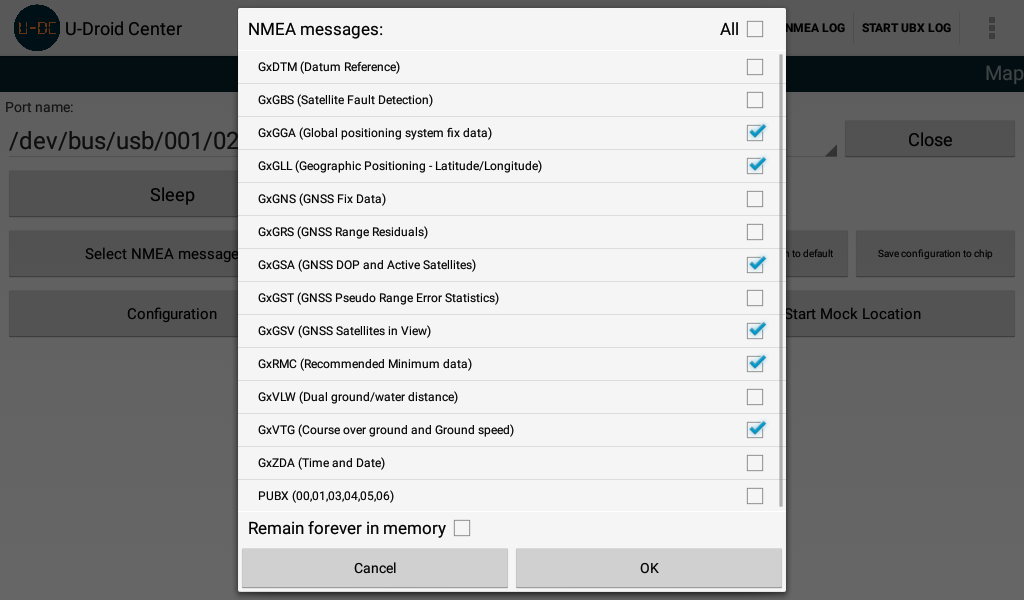
2. Enabling and disabling the receive message in the format of NMEA and UBX.
3. Save the current configuration in the memory chip and reset to the factory default settings.
4. Some of the settings in the configuration of the chip. (Choice of constellations for navigation, etc.)
5. Possibility of obtaining NTRIP amendments to increase accuracy. Retrieved on chips of NEO-M8P and ZED-F9P.
6. Use of the MOC-location service. Allows you to replace the coordinates in the Android from u-blox® receiver. A handy feature if you want to use your receiver navigation coordinates from u-blox® in third-party applications.
7. Display your position and the route on the map. The same convenient display of basic navigation data.
8. Record and playback navigation logs.
9. Visual display status of satellites and receiving power.
10. TCP server. A very handy feature. You can connect to your navigation receiver, connected to the device by using a local area network (LAN). Remote connection to your receiver is possible with the help of the program u-center company u-blox®.
11. Visual display NMEA and UBX messages.
12. Displaying the position of your navigation chip in 3D space, if there is ADR support.
13. The ability to connect to the chip on Bluetooth.
14. If the device has no access to the Internet, It is possible to download offline maps to display your position on the map. You can download maps from here http://ftp-stud.hs-esslingen.de/pub/Mirrors/download.mapsforge.org/maps/v4/ or from another resource.
Company u-blox® is one of the leader in the production of navigation chips. Many companies from different countries use the navigation chips u-blox® in their devices on the basis of the operating system Android.
The program will continue to evolve in response to your requests. Ready to cooperate in the development of a joint application using ublox navigation chip.
表示


現在、U-Droid Center for u-blox®のAPKは提供されていませんので、Google Playからダウンロードしてください。
U-Droid Center for u-blox®は現在Google Playでのダウンロードをサポートしていませんが、このページからAPKを直接ダウンロードできます。
U-Droid Center for u-blox®は自分のデバイスにとって安全ですか?
表示
U-Droid Center for u-blox®はGoogle Playコンテンツガイドラインに従い、Androidデバイスでの安全な使用を確保しています。
XAPKファイルとは何ですか?U-Droid Center for u-blox®をダウンロードしたファイルがXAPKファイルの場合はどうすればよいですか?
表示
XAPKは、APKファイルとその他のデータファイル(例:大型ゲームの追加リソースファイルなど)を含むファイル拡張形式です。
XAPKファイルの目的は、アプリケーションのデータファイルをインストール前に分離して保存し、大型アプリケーションをより効果的に管理および転送することです。
XAPKはアプリケーションの初期インストールパッケージのサイズを縮小するのに役立ちます。
通常、スマホでは、ユーザーはまずXAPKインストーラーアプリケーションをインストールし、その後そのアプリケーションを使用してXAPKファイルをインストールする必要があります。
具体的なアプリケーションは以下のリンクから見つけることができます:
https://apkcombo.com/ja/how-to-install/
一方、PCでは、ファイルをLDPlayer Androidエミュレータにドラッグ&ドロップするだけでインストールできます。
U-Droid Center for u-blox®をパソコンでプレイできますか?
表示
LDPlayerなどのAndroidエミュレーターをコンピュータにインストールして、ダウンロードしたAPKファイルをエミュレーター内にドラッグして実行することで、U-Droid Center for u-blox®をパソコンでプレイことができます。また、エミュレーターを開いて、プレイしたいゲームやアプリを検索してインストールすることもできます。


