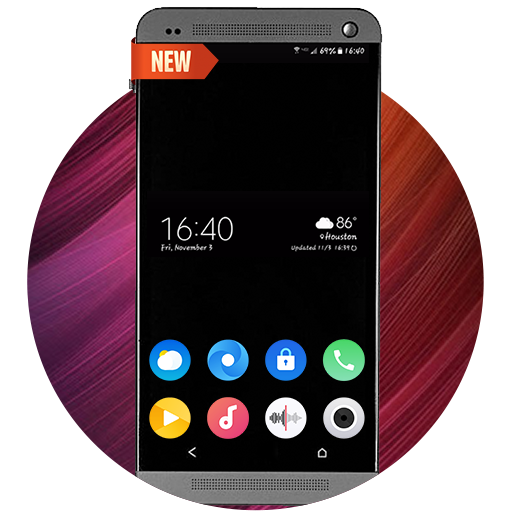
iLock – Lockscreen iOS 16の運営元はHuu Toanであり
OFF
評価4
タイプカスタマイズ
パッケージ名com.lockscreen.ilock.lockios
iLock – Lockscreen iOS 16の紹介
Customize your lock screen, combine iOS style passcode with amazing iOS wallpaper themes to gain a unique lockscreen with notification on your phone.
Main features:
- The Lock Screen, which shows the current time and date and your most recent notifications, appears when you turn on or wake your phone
- From the Lock Screen, you can see notifications, open Camera and Turn on flash
- From the lock screen, get notification from your apps
- Lockscreen with notifications
- Lockscreen no ads
- Show notification on the lock screen
- Set a passcode on your phone to help protect your phone.
- Enable Passcode and enter passcode.
- Allows enter your passcode again to confirm and activate it.
- Allows enable vibrate, sound and time format on lock screen
- Long press on Flash to turn on/turn off Flash
- Long press on Camera to open Camera
- 100+ unique iOS wallpapers available
- Free for everyone
- you can use Spotlight from the lock screen
- You can also do this from the lock screen:
+ Tap one notification or a group of notifications to see all of them for that app.
+ Swipe over notifications to manage, view or delete notifications.
+ Manage notifications for specific applications.
+ Allows to hide message content on lock screen.
+ Allows show music control on lock screen
Access features from the Phone Lock Screen
- You can quickly access useful features and information from the Lock Screen, even while you phone is locked
- You can quickly view your latest lock screen notifications by turning on your phone.
How to use “iLock”?
- Download “iLock – Lockscreen iOS 16” on Google Play
- Open app and go to iLock’s setting
- Allows get notifications to show on lockscreen
- Enable lock screen
- Swipe down from the top-left corner to open
- Set passcode for lock screen
Permissions app
+ CAMERA: To open camera in your phone from the lock screen
+ READ_PHONE_STATE: To turn off lock screen while calling.
+ NOTIFICATION ACCESS: To get notifications in your phone.
+ READ/WRITE_EXTERNAL_STORAGE: To download and save more wallpapers.
+ DRAW OVER SCREEN: To show Lock Screen & Notification in over all apps.- + BIND_ACCESSIBILITY_SERVICE to allow apps to draw on phone's lock screen and status bar.
If you love our application, please rate for this app 5 stars, Don’t forget to share the app to your friends.
Thank you so much for downloading and using the “lockscreen with notifications” application.
表示


iLock – Lockscreen iOS 16 Android版に関するレビュー
機能的にはほぼios16の画面に近いし機能も色々あって面白いんだけど、バックグラウンドを消したらロック画面が出なくなってセキュリティが無防備。その上スマートフォンを使用中にロック画面が出てくる。動画を見てたりゲームをしてたりする時に出てくるとほんとに邪魔でしかない。スマートフォンを開いても遅れてロック画面が出てくる。そこが安定してないとこかな!改善されたら★5をあげたいね。
日本語に対応してくれると助かる🙏 機能は問題なく素晴らしい✨✨
このアプリ非常に使いやすい会社には感謝です
機能的にはほぼios16の画面に近いし機能も色々あって面白いんだけど、バックグラウンドを消したらロック画面が出なくなってセキュリティが無防備。その上スマートフォンを使用中にロック画面が出てくる。動画を見てたりゲームをしてたりする時に出てくるとほんとに邪魔でしかない。スマートフォンを開いても遅れてロック画面が出てくる。そこが安定してないとこかな!改善されたら★5をあげたいね。
日本語に対応してくれると助かる🙏 機能は問題なく素晴らしい✨✨
このアプリ非常に使いやすい会社には感謝です
iLock – Lockscreen iOS 16は自分のデバイスにとって安全ですか?
表示
iLock – Lockscreen iOS 16はGoogle Playコンテンツガイドラインに従い、Androidデバイスでの安全な使用を確保しています。
XAPKファイルとは何ですか?iLock – Lockscreen iOS 16をダウンロードしたファイルがXAPKファイルの場合はどうすればよいですか?
表示
XAPKは、APKファイルとその他のデータファイル(例:大型ゲームの追加リソースファイルなど)を含むファイル拡張形式です。
XAPKファイルの目的は、アプリケーションのデータファイルをインストール前に分離して保存し、大型アプリケーションをより効果的に管理および転送することです。
XAPKはアプリケーションの初期インストールパッケージのサイズを縮小するのに役立ちます。
通常、スマホでは、ユーザーはまずXAPKインストーラーアプリケーションをインストールし、その後そのアプリケーションを使用してXAPKファイルをインストールする必要があります。
具体的なアプリケーションは以下のリンクから見つけることができます:
https://apkcombo.com/ja/how-to-install/
一方、PCでは、ファイルをLDPlayer Androidエミュレータにドラッグ&ドロップするだけでインストールできます。
iLock – Lockscreen iOS 16をパソコンでプレイできますか?
表示
LDPlayerなどのAndroidエミュレーターをコンピュータにインストールして、ダウンロードしたAPKファイルをエミュレーター内にドラッグして実行することで、iLock – Lockscreen iOS 16をパソコンでプレイことができます。また、エミュレーターを開いて、プレイしたいゲームやアプリを検索してインストールすることもできます。