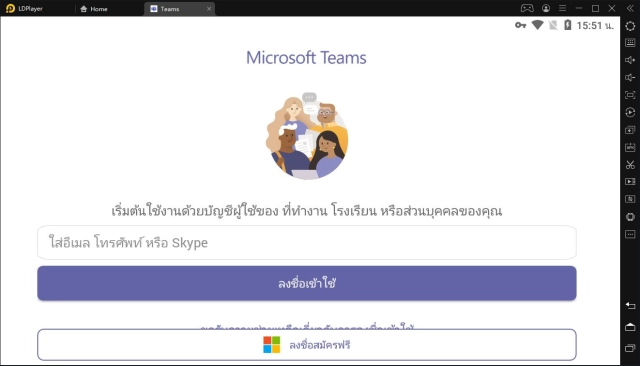
Microsoft Teams
แชท พบปะ และทำงานร่วมกันเพื่อบรรลุเป้าหมายร่วมกันมากขึ้น ทั้งหมดในที่เดียวบน Teams
Microsoft Corporation
นักพัฒนาอย่างเป็นทางการของ Microsoft Teams คือ Microsoft Corporation
เวอร์ชัน1416/1.0.0.2026163804
อัปเดตเมื่อ2025-10-16
คะแนน4.0
ประเภทธุรกิจ
ชื่อแพ็คเกจcom.microsoft.teams
ดาวน์โหลด500+
บทนำ Microsoft Teams
Easily connect with anyone:
• Skype is now part of Teams. Continue where you left off with your chats, calls and contacts in Microsoft Teams Free.
• Meet securely with communities, teammates, family, or friends.
• Set up a meeting within seconds and invite anyone by sharing a link or calendar invite.
• Chat 1-1 or to your entire community, @mention people in chats to get their attention.
• Create a dedicated community to discuss specific topics and make plans*.
• Work closely and collaborate by keeping conversations organized by specific topics and projects with teams and channels.
• Video or audio call anyone directly in Teams or instantly convert a group chat to a call.
• Use GIFs, emojis, and message animations to express yourself when words aren’t enough.
Accomplish plans and projects together:
• Send photos and videos in chats to quickly and easily share important moments.
• Use cloud storage to access shared documents and files on the go.
• Organize shared content in a community — events, photos, links, files —so you don’t have to waste time searching*.
• Get the most out of your meetings by using screenshare, whiteboard, or breakout in virtual rooms.
• Manage access to information and ensure the right people have access to the right info, even when people join and leave projects.
• Use task lists to stay on top of projects and plans - assign tasks, set due dates, and cross off items to keep everyone on the same page.
Designed to give you peace of mind:
• Securely collaborate with others while maintaining control over your data.
• Keep communities safe by allowing owners to remove inappropriate content or members*.
• Enterprise-level security and compliance you expect from Microsoft 365**.
*Available when using Microsoft Teams with your Microsoft account.
**Commercial features of this app require a paid Microsoft 365 commercial subscription or a trial subscription of Microsoft Teams for work. If you’re not sure about your company’s subscription or the services you have access to, visit Office.com/Teams to learn more or contact your IT department.
By downloading Teams, you agree to the license (see aka.ms/eulateamsmobile) and privacy terms (see aka.ms/privacy). For support or feedback, email us at mtiosapp@microsoft.com. EU Contract Summary: aka.ms/EUContractSummary
Consumer Health Data Privacy Policy
https://go.microsoft.com/fwlink/?linkid=2259814
เพิ่มเติม


คอมเม้นของเวอร์ชัน Microsoft Teams Android
ในระบบ android มันไม่ค้าง แต่มีจำกัดเวลา ให้เลื่อนออกและเข้าใหม่ก็จะปกติแบบง่ายๆ ครับ
Android version ในช่องแชทกลุ่ม การส่งภาพมีปัญหาขึ้น loading ไม่ยอมโชว์ กดเข้าไปดูได้ แต่ไม่แสดงผลหน้าหลัก ios ปกติดี pc ปกติดี ใช้งานบน Samsung S24Ultra
ใช้ ms team ในระบบ android มันชอบค่าง แต่พอใช้ในระบบ ios ก็คือลื่นไหลมาก ต่อให้เน็ตจะห่วยแค่ไหนก็ตาม งงมาก
ในระบบ android มันไม่ค้าง แต่มีจำกัดเวลา ให้เลื่อนออกและเข้าใหม่ก็จะปกติแบบง่ายๆ ครับ
Android version ในช่องแชทกลุ่ม การส่งภาพมีปัญหาขึ้น loading ไม่ยอมโชว์ กดเข้าไปดูได้ แต่ไม่แสดงผลหน้าหลัก ios ปกติดี pc ปกติดี ใช้งานบน Samsung S24Ultra
ใช้ ms team ในระบบ android มันชอบค่าง แต่พอใช้ในระบบ ios ก็คือลื่นไหลมาก ต่อให้เน็ตจะห่วยแค่ไหนก็ตาม งงมาก
Microsoft Teams ปลอดภัยสำหรับอุปกรณ์ของฉันไหม?
เพิ่มเติม
ใช่ Microsoft Teams ปฏิบัติตามหลักเกณฑ์ด้านเนื้อหาของ Google Play เพื่อให้แน่ใจว่าปลอดภัยในการใช้งานบนอุปกรณ์ Android ของคุณ
ไฟล์ XAPK คืออะไร ฉันควรทำอย่างไรหาก Microsoft Teams ที่ฉันดาวน์โหลดเป็นไฟล์ XAPK
เพิ่มเติม
XAPK เป็นรูปแบบนามสกุลไฟล์ที่ประกอบด้วยไฟล์ APK แต่ละไฟล์และไฟล์ข้อมูลอื่นๆ (เช่น ไฟล์ทรัพยากรเพิ่มเติมในเกมขนาดใหญ่)
วัตถุประสงค์ของไฟล์ XAPK คือเพื่อให้ไฟล์ข้อมูลของแอปพลิเคชันถูกจัดเก็บแยกต่างหากก่อนที่จะติดตั้งแอปพลิเคชัน ช่วยให้การจัดการและถ่ายโอนแอปพลิเคชันขนาดใหญ่มีประสิทธิภาพมากขึ้น
XAPK สามารถช่วยลดขนาดแพ็คเกจการติดตั้งเริ่มต้นของแอปพลิเคชันได้
โดยปกติบนโทรศัพท์มือถือ ผู้ใช้จะต้องติดตั้งแอปพลิเคชันตัวติดตั้ง XAPK ก่อน จากนั้นจึงติดตั้งไฟล์ XAPK ผ่านแอปพลิเคชัน
สามารถดูแอปพลิเคชันเฉพาะได้ที่ลิงค์ต่อไปนี้:
https://apkcombo.com/th/how-to-install/
บนคอมพิวเตอร์ เพียงลากและวางไฟล์ลงในโปรแกรมจำลอง LDPlayer
ฉันสามารถเล่น Microsoft Teams บนคอมได้ไหม?
เพิ่มเติม
ได้ คุณสามารถเริ่มเล่น Microsoft Teams บน PCได้โดยติดตั้ง LDPlayer ซึ่งเป็นโปรแกรมจำลอง Android จากนั้นลากไฟล์ APK ที่ดาวน์โหลดมาลงในโปรแกรมจำลองที่กำลังรันอยู่ คุณยังสามารถเปิดโปรแกรมจำลอง ค้นหาและติดตั้งเกมหรือแอปที่คุณต้องการเล่นได้